07
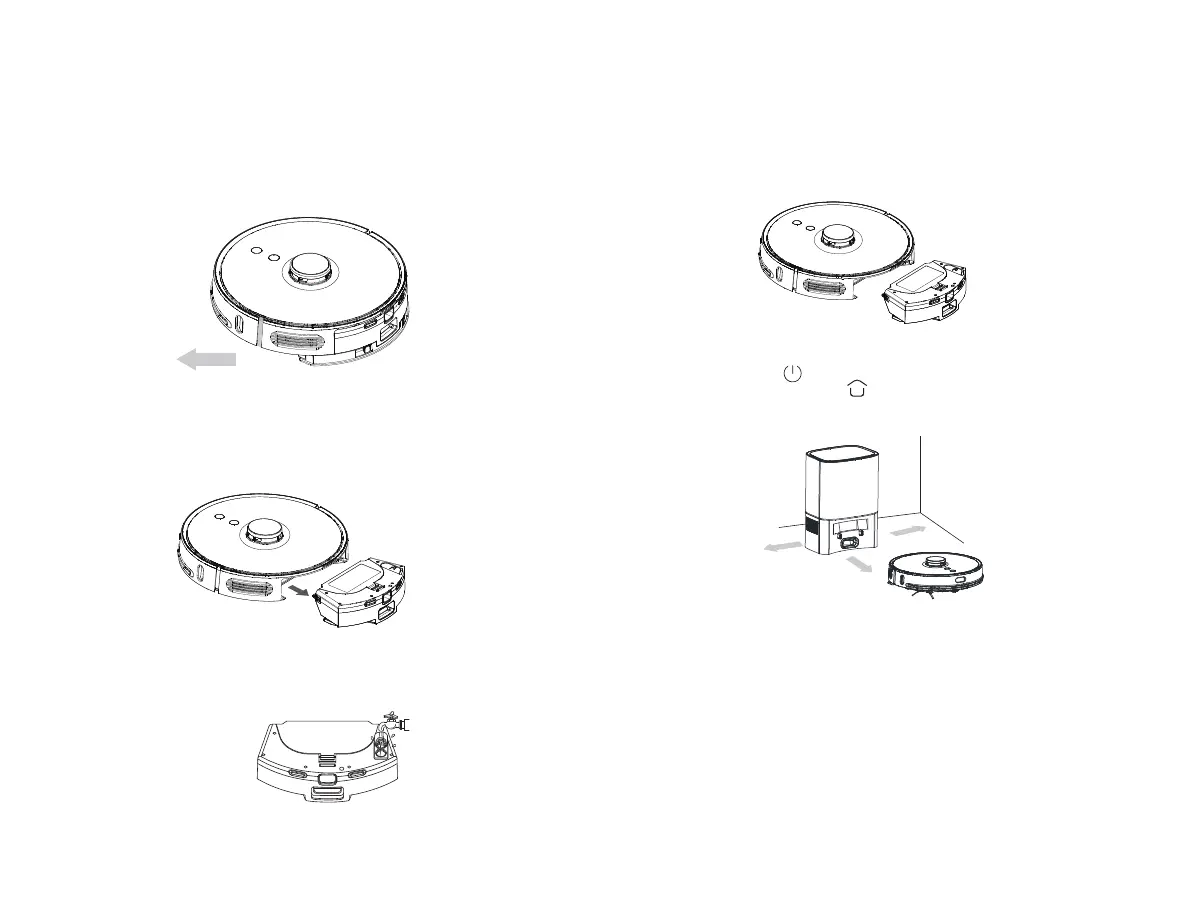
(1) Place the vacuum-mop on flat floor indoors.
Remove the limit protector at both sides of bumper.
(3) Soak the mop with water and aach it to magic tape band and
tighten it.
Inject water through the inlet, and tighten the cover.
(5) Long press buon for 3 seconds to switch the vacuum-mop
on, and then short press buon to recharge it. The vacuum-mop
will be ready for operation when recharged fully.
Note:
1.The robot will return to automatic dirt disposal base aer operating for
more than 1 Minute, and start clear-up process automatically. During
dust collection a arrow flashes in green color on the screen.
2.The robot cannot be switched on in case of low baery level. In such
case, first recharge it.
3.In case of low baer level during sweeping, the robot will go to
charging dock for recharging automatically, and then return to the
interruption point to resume sweeping.
(4) Mount the 2-in-1 Dust Compartment with Water Tank into the
machine.
(2) Press the Dust Compartment release buon to remove the 2-in-1
Dust Compartment with Water Tank.
For the initial use, there may be a very lile water in the tank, which is
residual test sample and at normal condition, and you can use it at ease.
Operation Instructions
Remove
N
N
N



 To Next Page