23
ENG
6. Maintenance
Cleaning the Device
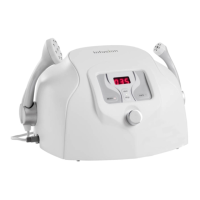
The Infusion™ system requires minimal regular preventive maintenance and cleaning to
ensure optimal system performance. Clean the system at least once a week. Turn the system
off and wipe all surfaces with a soft, damp, non-abrasive cloth. Clean the Face and Body
hand pieces with a mild, dampened-disinfectant tissue or with warm tap water and mild
disinfectant soap that does not contain alcohol.
Troubleshooting
The following steps offer a list of corrective actions in case of system malfunction. You
may find that a system error can be cleared by restarting the Infusion™ system. Always try
this option before contacting your distributor.
If the system does not start:
A. Check that the power switch on the back panel is ON.
B. Check that the Start/Stop button on the front is ON.
C. Turn the switch to the OFF position and check that the power cable is plugged into
the electrical outlet and connected to the main units power inlet.
D. Check the fuse inside the fuse drawer and replace it if necessary.
E. Check that the Face and Body hand piece connectors are properly installed on both
sides of the device.
6.2
6.1
Disconnect power supply cable before maintenance or service procedures to
avoid electric shock. Be careful not to spill any liquids on the system.
Caution
* If these actions do not solve the problem, contact your distributor for further assistance.


 To Next Page