9
Connection
Connection
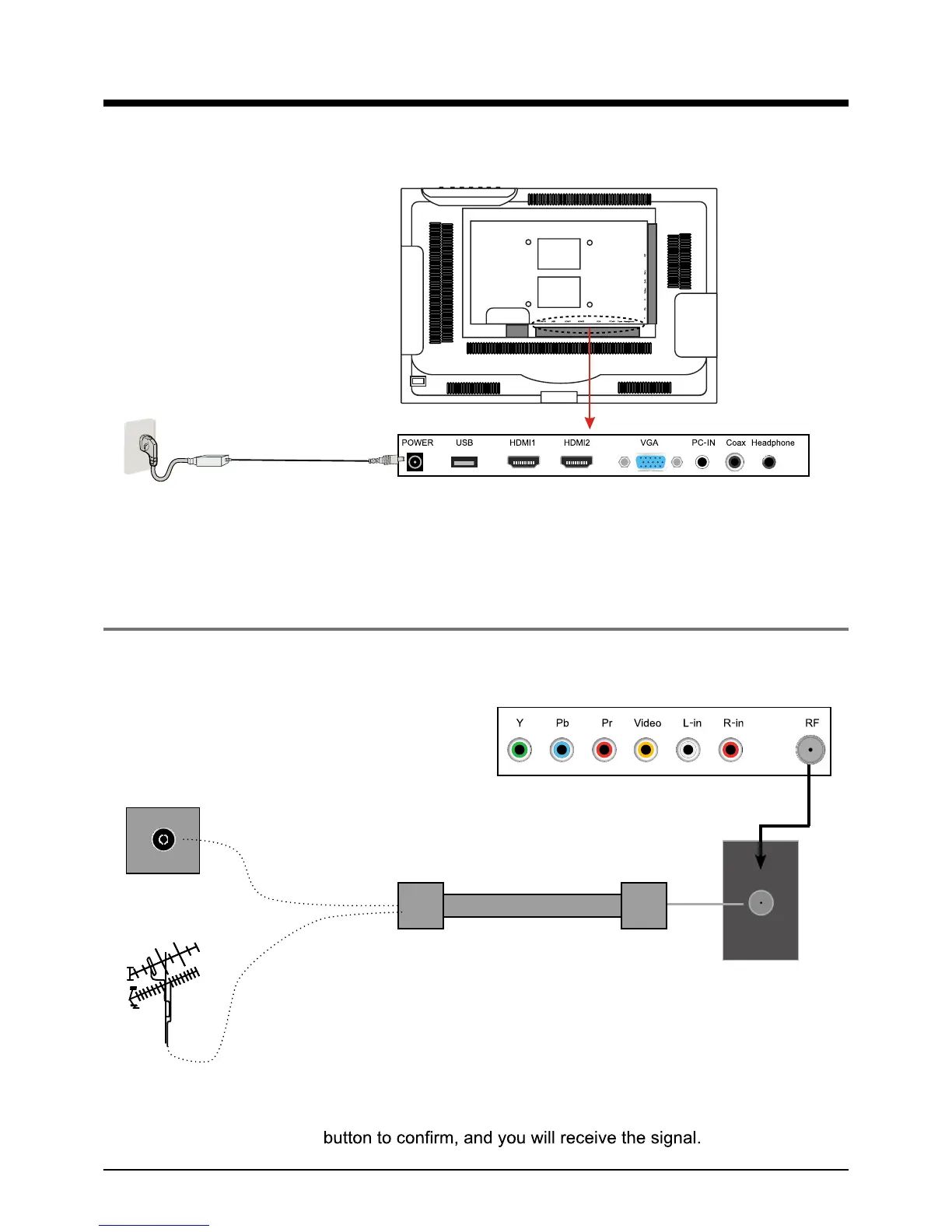
Antenna (RF) Connection
Power Cord Connection
RF
Coaxial (Round) Antenna Cable
Press INPUT button on the remote control to display the input source menu, press
Ĥ
ĥ
button
to select TV, then press OK
- Connect to the power supply correctly as shown with the mains cable and mains adaptor.
- When you connect the power, the TV set comes into standby mode and the LED indicator (Page
5) lights red.
- You could bring the TV out of standby mode by press the POWER ro)5egap(tesVTnonottub
remote control(page 7), and the LED indicator lights green.
Wall jack with F-Connector
External Antenna


 To Next Page