12
Section 9: ECO Modes and Gameplus
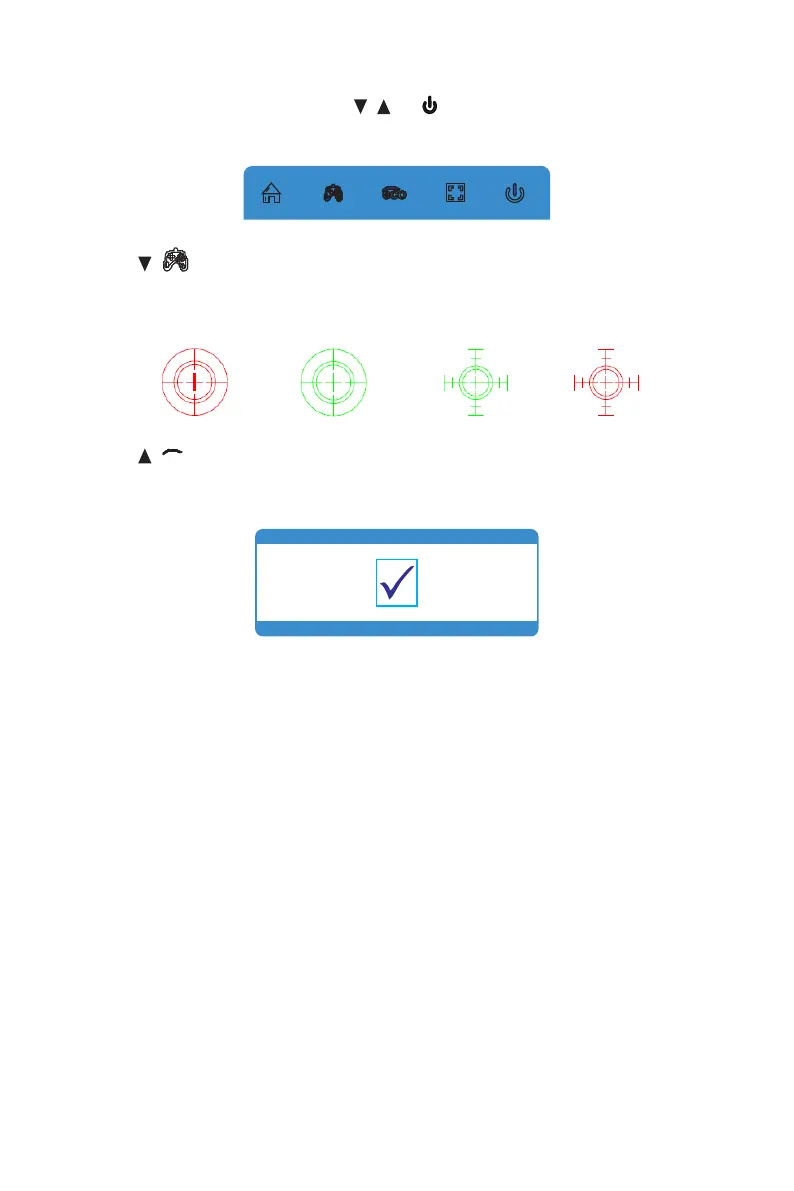
1. Press any one of the buttons (M, , , E, ) to activate the navigation window.
eco
2. Press ( ) to switch Gameplus modes. Choose the crosshair icon best suited
for your game. These game icons are primarily designed to optimize your aim
during shooting games, though they can be used for other scenarios.
3 Press (
eeccoo
) button to switch ECO modes. These modes (Standard, Text,
Movie, Game, FPS, and RTS) can be used to optimize settings according to your
activity. Standard mode is suitable for most activities.


 To Next Page