EasyManua.ls Logo

Viotek GN34C - User Manual

Viotek GN34C
13 pages
Print Icon
To Next Page IconTo Next Page
Loading...
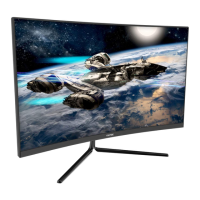
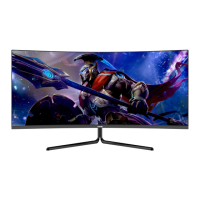
CURVED GAMING MONITOR
USER MANUAL
GN 34C

Questions and Answers

Viotek GN34C Specifications

General IconGeneral
Screen Size34 inches
Resolution3440 x 1440
Panel TypeVA
Refresh Rate100 Hz
Aspect Ratio21:9
Response Time4 ms
Brightness300 cd/m²
Contrast Ratio3000:1
Curvature1800R
Viewing Angle178° (H) / 178° (V)
Color Support16.7 million colors
Input PortsDisplayPort, HDMI

Summary

Safety Precautions and Maintenance

Box Contents and Initial Setup

Box Contents

Lists all items included in the monitor package for user verification.

Basic Setup Guide

Step-by-step instructions for connecting the monitor and powering it on.

AMD FreeSync Feature

Information on enabling and using the AMD FreeSync™ technology for gaming.

Monitor Interface and Controls

Indicator Light Status

Explanation of the front indicator light and its meanings (power, signal).

Control Panel Operation

Details on the monitor's control panel buttons and their functions.

OSD Menu Introduction

Overview of the On-Screen Display (OSD) menu for settings adjustment.

OSD Menu Functions Explained

Brightness, Contrast, and DCR

Adjusting display brightness, contrast, and Dynamic Contrast Ratio (DCR).

Picture Modes and Color Settings

Selecting picture modes (Standard, Movie, FPS, RTS, EyeSaver) and color temperature.

Aspect Ratio and Input Selection

Configuring aspect ratio and selecting video input sources (DVI, HDMI, DP).

Multi-window and Other Settings

Managing multi-window display features (PIP, PBP) and other miscellaneous settings.

Troubleshooting Common Issues

Troubleshooting Guide

Covers common issues like blank screen, focus, flashing, color problems, scrolling, and cleaning.

Advanced Display Features

PIP and PBP Input;Resolution Info

Details on Picture-in-Picture (PIP) input compatibility and Picture-by-Picture (PBP) resolution.

Specifications and System Requirements

Technical Specifications

Provides panel size, screen ratio, picture size, dot pitch, and environmental specs.

Resolution Compatibility

Lists supported resolutions and refresh rates for DVI/DP connections.

System Requirements

Outlines the minimum hardware and OS requirements for optimal monitor performance.

Warranty Information

Regulatory Compliance

FCC Declaration and Notice

States compliance with FCC rules and provides notices regarding interference.

Related product manuals