Need help?
Do you have a question about the Viotek LinQ Touch and is the answer not in the manual?
Connect headphones or external audio devices to receive audio signals from the monitor.
Connect to a computer via USB Type-C for display, video, audio, and touch signals.
Connect to a Type-C compatible mobile phone for TV-out functionality and display.
Connect to Nintendo Switch for gaming, detailing power requirements for optimal performance.
Connect via Mini-HDMI, requiring separate USB Type-C for touch signal input.
Connect other HDMI devices, prioritizing Type-C power connection before HDMI.
Details the functions, options, and descriptions within the OSD menu for display settings.
Explains how to quickly access and adjust brightness and volume settings directly.
Instructions on how to clean the monitor and notes on normal display phenomena.
Advice on using original packaging for storage, transport, or warranty claims.
Guidelines for responsible product disposal in accordance with local regulations.
 General
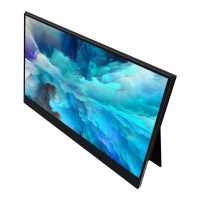
| Screen Size | 15.6 inches |
|---|---|
| Panel Type | IPS |
| Touchscreen | Yes |
| Response Time | 5ms |
| Refresh Rate | 60Hz |
| Brightness | 250 cd/m² |
| Contrast Ratio | 800:1 |
| Aspect Ratio | 16:9 |
| Color Gamut | 72% NTSC |
| Resolution | 1920 x 1080 |
| Connectivity | USB-C, Mini HDMI |
| Viewing Angle | 178° |

 To Next Page