EasyManua.ls Logo

VIPAR SPECTRA Timer Control TC600 - User Manual

Default Icon
2 pages
Print Icon
To Next Page IconTo Next Page
Loading...
02
Setting system with Remote
For flowering stage: use all channels with 100% brightness.
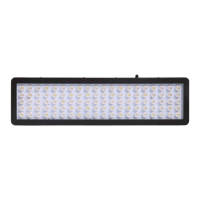
This light includes IR (Infrared) LEDs which look dim/invisible, they are not faulty LEDs.
One fan will work while VEG channel on, the rest one fan will work while BLOOM channel on.
The digital display will be turned off so it will not illuminates/emits blue light during light off-working time.
MODEL: TC600
USER INSTRUCTIONS
Timer Control Series
www.viparspectra.com
Height (above plants' canopy)
Using Hours
Brightness (VEG/BLOOM)
10 on / 14 off 40% / 15%
60% / 30%
100% / 60%
100% / 100%
36" - 40"3-5 days acclimation period
Seedlings/ Young vegetative
Vegetative Stage
Flowering Stage
32" - 36"
24" - 32"
18" - 24"
12 on / 12 off
12 on / 12 off
18 on / 6 off
TC600
IR4pcs look dim
Step 1. Remove the plastic separator from the battery.
Step 2. Press to turn on the light.
Step 3. Press to setup brightness for VEG channel. Using and , select the
desired brightness. Press to save settings.
Step 4. Press , repeat step 3 to setup brightness for BLOOM channel.
Step 5. Press to setup current time of day, the hour will flash. Using and ,
select the desired hour. Press or to save the hour and activate the minutes.
Using and , select the desired minutes. Press to save settings, or wait
about 3 seconds and the programmed time will be automatically saved.
OK
OK
VEG
BLOOM
CLOCK
Step 6. Press to setup light's start-working time, the hour will flash. Using and
, select the desired start-working hour. Press or to save the hour and
activate the minutes. Using and , select the desired minutes. Press to
save settings, or wait about 3 seconds and the programmed time will be automatically
saved.
Step 7. Press , repeat step 6 to setup light's off-working time.
Step 8. Press to confirm that the system has saved the desired start-working and
off-working time.
PREVIEW
ON
OFF
OK
Using Suggestions
PREVIEW
OK
VEG
BLOOM
ON
CLOCK
OFF
VIPARS PECTRA
To setup brightness for
BLOOM channel.
To setup light's start-working
time.
To setup light's off-working
time.
To setup brightness for
VEG channel.
To setup current time of day.
To turn ON/OFF the light.
To increase value.
Switch to other setting.
To decrease value.
Switch to other setting.
To save settings.
To preview start-working
and off-working time.
Note: Timer controls both channels on/off together. Cannot turn VEG and BLOOM channel
on/off separately.
Adjust the height and brightness accordingly to desired coverage and how well each individual
plants responds as the brightness increases. The key is to always observe your plants and listen
to what they're telling you. If the leaves are pointing hard towards the light, they love it! Give
them more! If they shy away or appear limp and unhappy, while all other components and
environmental variables are correct, back off with the light! They'll let you know very quickly how
they feel. This is of course... the key to horticulture in general.
The following section will help guide you in the process of evaluating the best methods
for each stage of plant growth. Like many other growers, you can use this light throughout
the seeding and flowering stages of your plants life. Remember to properly adjust the height
and brightness of your light according to your plants desired level for optimal growth.
Specifications:
Model:
LED Power:
Actual Power Draw:
LED Quantities:
Total Harmonic Distortion:
Input Voltage:
Frequency:
TC600
600W
110V: 260W±3%; 220V: 250W±3%
120pcs Epiled/Bridgelux
LEDs
AC100-240V
50-60Hz
HID Replacement:
Vegetative Coverage at 28":
Flowering Coverage at 20":
Use for:
Housing Dimensions:
Item Weight:
Lifespan:
600W HPS/MH
3x3ft
2.5x2.5ft
all stages grow and flowering
25.4 x 8.5 x 3 inches
64.4 x 21.6 x 7.5 cm
12.5 lbs
100,000 hours
15%
<
Question and Answer IconNeed help?

Do you have a question about the VIPAR SPECTRA Timer Control TC600 and is the answer not in the manual?

Summary

Setting system with Remote

Using Suggestions

Setting system with Control Knob

Digital Display OVERVIEW

Explanation of the main menus and sub-menus displayed on the digital interface.

Actions OVERVIEW

Overview of the functions performed by pressing and rotating the control knob.

Setting Process

Detailed steps for setting brightness, timer start, and current time using the knob.

WARRANTY TERMS

Overview

The VIPARSPECTRA TC600 is a sophisticated grow light system designed to provide optimal lighting conditions for plant growth across all stages, from seedlings to flowering. It features both remote control and control knob interfaces, offering flexibility in operation and precise adjustments to suit various horticultural needs.

Function Description:

The primary function of the TC600 is to emit light tailored for plant cultivation, including infrared (IR) LEDs that appear dim or invisible but are essential for plant health. It supports two distinct light channels: VEG (vegetative) and BLOOM (flowering), allowing users to customize the light spectrum and intensity based on the plant's growth phase. The system incorporates a timer function for automated on/off cycles and brightness control for each channel.

Usage Features:

Remote Control Operation:

The remote control provides a convenient way to manage the TC600's functions from a distance.

  • Power On/Off: A dedicated button allows users to turn the light on or off.
  • Value Adjustment: Plus (+) and minus (-) buttons are used to increase or decrease numerical values, such as hours, minutes, or brightness levels.
  • Setting Navigation: A "K" or "OK" button is used to confirm selections, save settings, or move between different setting parameters.
  • Channel Selection: Buttons labeled "VEG" and "BLOOM" allow users to select and adjust the brightness for each respective channel independently.
  • Timer Setup:
    • Start-Working Time: Users can set the desired time for the light to turn on. The hour flashes, and users select the hour using the + and - buttons, then confirm with "K" or "OK" to activate minutes. Minutes are then selected using + and - buttons, and confirmed with "OK" to save settings. The system automatically saves after approximately 3 seconds if no action is taken.
    • Off-Working Time: Similar to setting the start-working time, users can program when the light should turn off.
    • Current Time: A "CLOCK" button allows users to set the current time of day, following a similar hour and minute selection process.
  • Preview Function: A "PREVIEW" button enables users to review the programmed start-working and off-working times.
  • Integrated Control: The timer controls both VEG and BLOOM channels simultaneously; individual on/off control for each channel is not supported.

Control Knob Operation:

The control knob offers an alternative, hands-on method for managing the light system, with a digital display providing visual feedback.

  • Power On/Off: Pressing and holding the knob for approximately 3 seconds will turn the light off.
  • Mode Selection: Pressing the knob cycles through different main menus: "CHA" (VEG channel), "CH2" (BLOOM channel), and "H-SE" (Timer setting).
  • Value Adjustment: Rotating the knob clockwise increases values, while rotating it counter-clockwise decreases values.
  • Setting Confirmation: Pressing the knob confirms selections and saves settings. The system automatically saves settings and returns to the superior menu if no action is taken within 3-5 seconds.
  • Brightness Adjustment:
    • VEG Channel (CHA): After selecting "CHA," rotating the knob adjusts the brightness level. Pressing the knob saves the desired brightness.
    • BLOOM Channel (CH2): Similar to the VEG channel, selecting "CH2" and rotating the knob adjusts its brightness.
  • Timer Setting (H-SE):
    • Start-Working Time (0088): Selecting "H-SE" and then "0088" allows users to set the start-working time. The hour flashes, and the knob is rotated to select the hour. Pressing the knob confirms the hour and activates the minutes, which are then selected by rotating the knob. Pressing the knob again saves the minutes.
    • Off-Working Time (OFFA): Similar to the start-working time, users can set the off-working time by selecting "OFFA" under the "H-SE" menu.
    • Current Time (6000): Users can set the current time by selecting "6000" under the "H-SE" menu, following the same hour and minute adjustment process.
  • Integrated Control: Like the remote, the timer controls both channels together; separate on/off control for VEG and BLOOM is not possible.

General Usage Recommendations:

  • Acclimation Period: For new plants or lights, a 3-5 day acclimation period is recommended, with the light 36"-40" above the canopy, running 10 hours on/14 hours off, at 40% VEG / 15% BLOOM brightness.
  • Seedlings/Young Vegetative: Position the light 32"-36" above the canopy, 12 hours on/12 hours off, at 60% VEG / 30% BLOOM brightness.
  • Vegetative Stage: Position the light 24"-32" above the canopy, 18 hours on/6 hours off, at 100% VEG / 60% BLOOM brightness.
  • Flowering Stage: Position the light 18"-24" above the canopy, 12 hours on/12 hours off, at 100% VEG / 100% BLOOM brightness.
  • Observational Adjustment: Users are encouraged to adjust height and brightness based on plant response. Leaves pointing hard towards the light indicate satisfaction, while limp or unhappy appearance suggests the light may be too intense.

Maintenance Features:

  • Fan Operation: One fan operates when the VEG channel is on, and the remaining fan operates when the BLOOM channel is on, ensuring adequate cooling.
  • Digital Display Management: The digital display automatically turns off during light off-working times to prevent light emission that could disrupt plant cycles.
  • Warranty: The product comes with a three-year warranty covering manufacturing defects.
  • Warranty Exclusions: The warranty does not cover damage from high moisture, water, power surges, improper hanging/mounting, improper use, dust build-up, or user modifications.
  • Troubleshooting & Support:
    • For lights stopping within 30 days (USA buyers): Options include exchange, money back, or free parts for simple defects. Prepaid return labels are provided for exchanges and money back.
    • For lights stopping within 30 days (outside USA buyers): Options include exchange, money back, or free parts for simple defects. Buyer pays return shipping for exchanges and money back.
    • For lights stopping after 30 days: Customers should contact support for a satisfactory solution.
    • Damage not covered by warranty may still be eligible for service, but costs will be assessed prior to repair.
  • Contact Information: Customer service is available via email (support@viparspectra.com) and phone (1-844-504-3266 for United States).

VIPAR SPECTRA Timer Control TC600 Specifications

General IconGeneral
TypeTimer Control
ModelTC600
Input Voltage100-240V AC
Frequency50/60Hz
Output Voltage100-240V AC
Max Load Current5A
CompatibilityVIPARSPECTRA LED Grow Lights
Weight150g
Timer SettingsUp to 24 hours

Related product manuals