11
© 2008 Directed Electronics. All rights reserved.
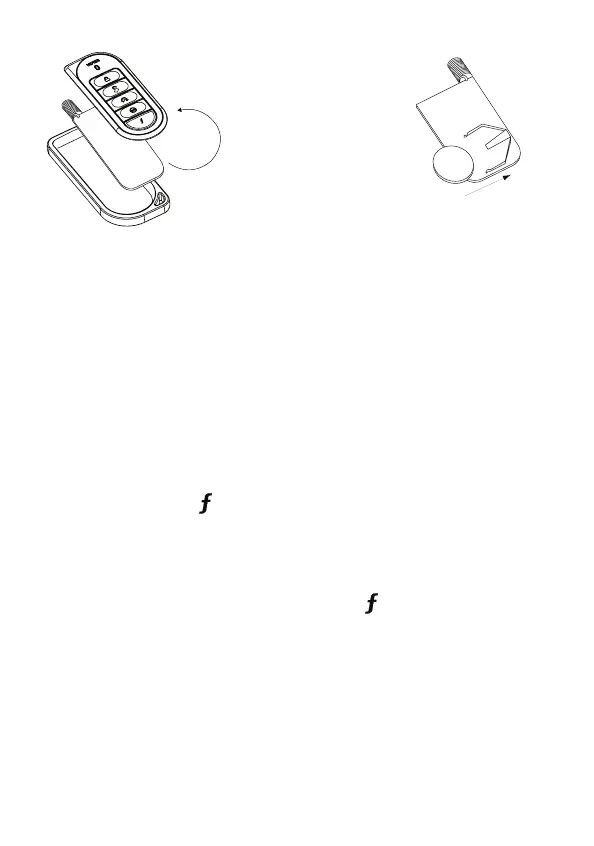
Turn both the unit 2.
front and circuit board
over, remove battery
from clip and replace.
Note:
Verify that the bat-
tery polarity is correct
when replacing.
Reposition all parts and snap together.3.
➤ Two car operation
You can use the remote control system for two cars, with full command capabil-
ity for both vehicles.
To change the car selection:
Press and hold the •
button for 3 seconds until the amber LED blinks
once or twice indicating the current vehicle:
One blink: Car 1
Two blinks: Car 2
To scroll from one car to the other, press the •
button again. After select-
ing the car, operation resumes. The selected car remains selected until the
setting is changed.



 To Next Page