LIGHTING EFFECTS
Keyboard light effects
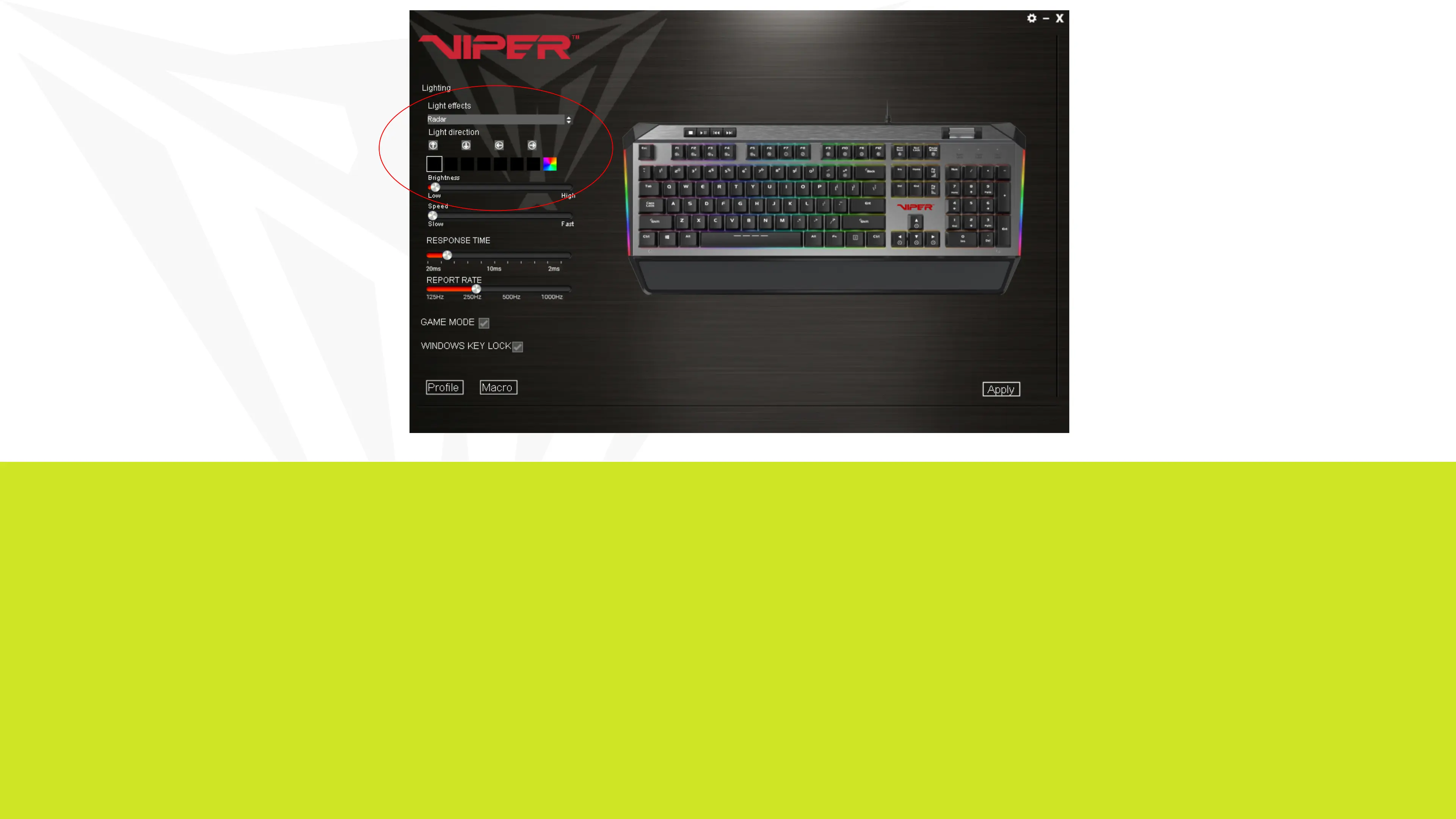
The V765’s light effects can be set from the Viper software by selecting the effect from the drop down menu.
Color selection, brightness, speed, and pattern direction can all be set, depending on the light effect, from the
software. Click on Apply in the bottom right corner of the software to save settings.


 To Next Page