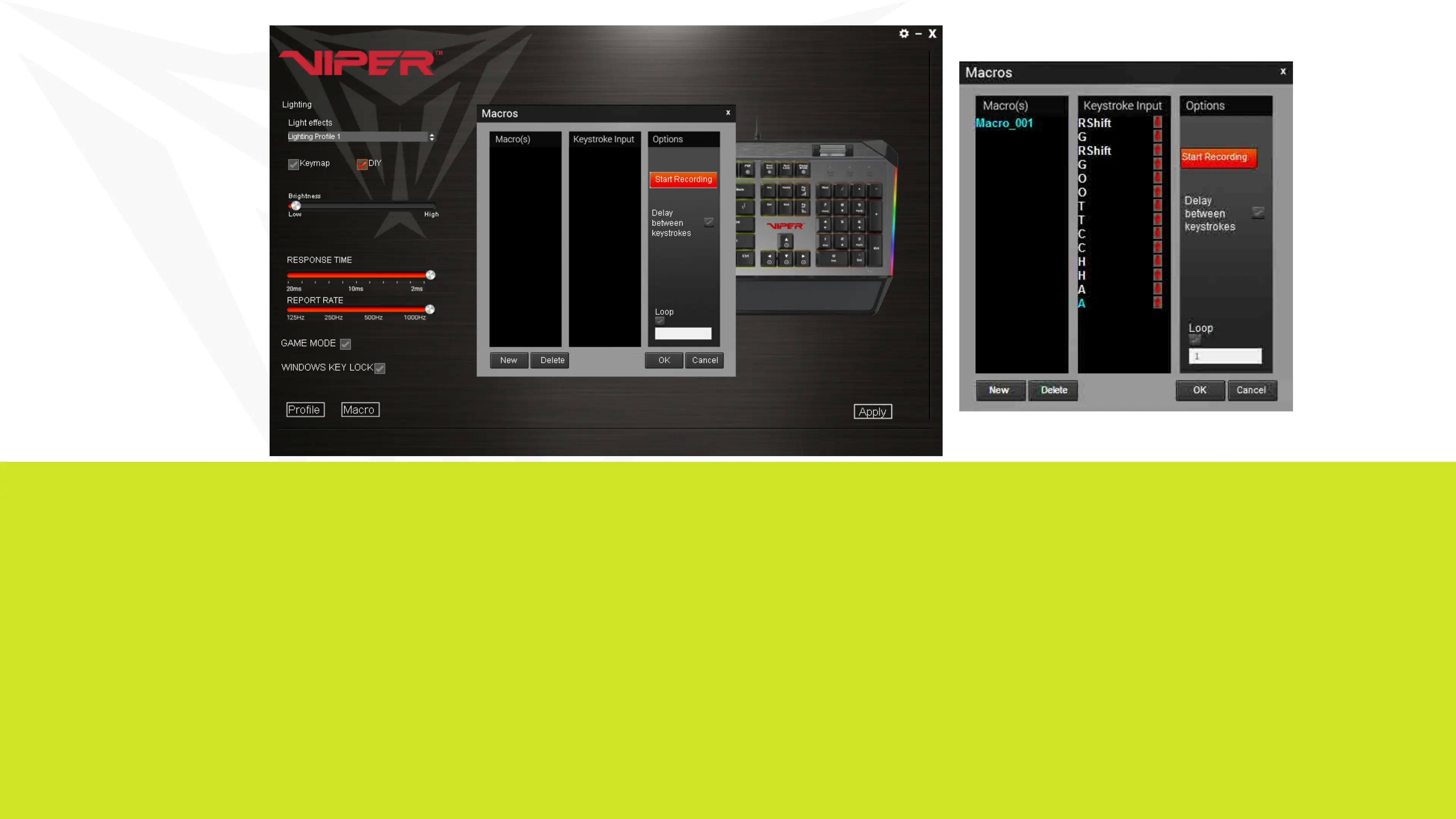
MACROS
You may create and save 32 different macro scripts, of 47 characters in
length that can be assigned to any key (except the Windows® key) of the
keyboard.
Creating a Macro
Click on the Macros button from the main menu to open the macro editor.
Click New to create a new macro. Double click on the macro to rename it.
Click Start Recording to create your macro script. You may create
scripts up to 47 characters long.


 To Next Page