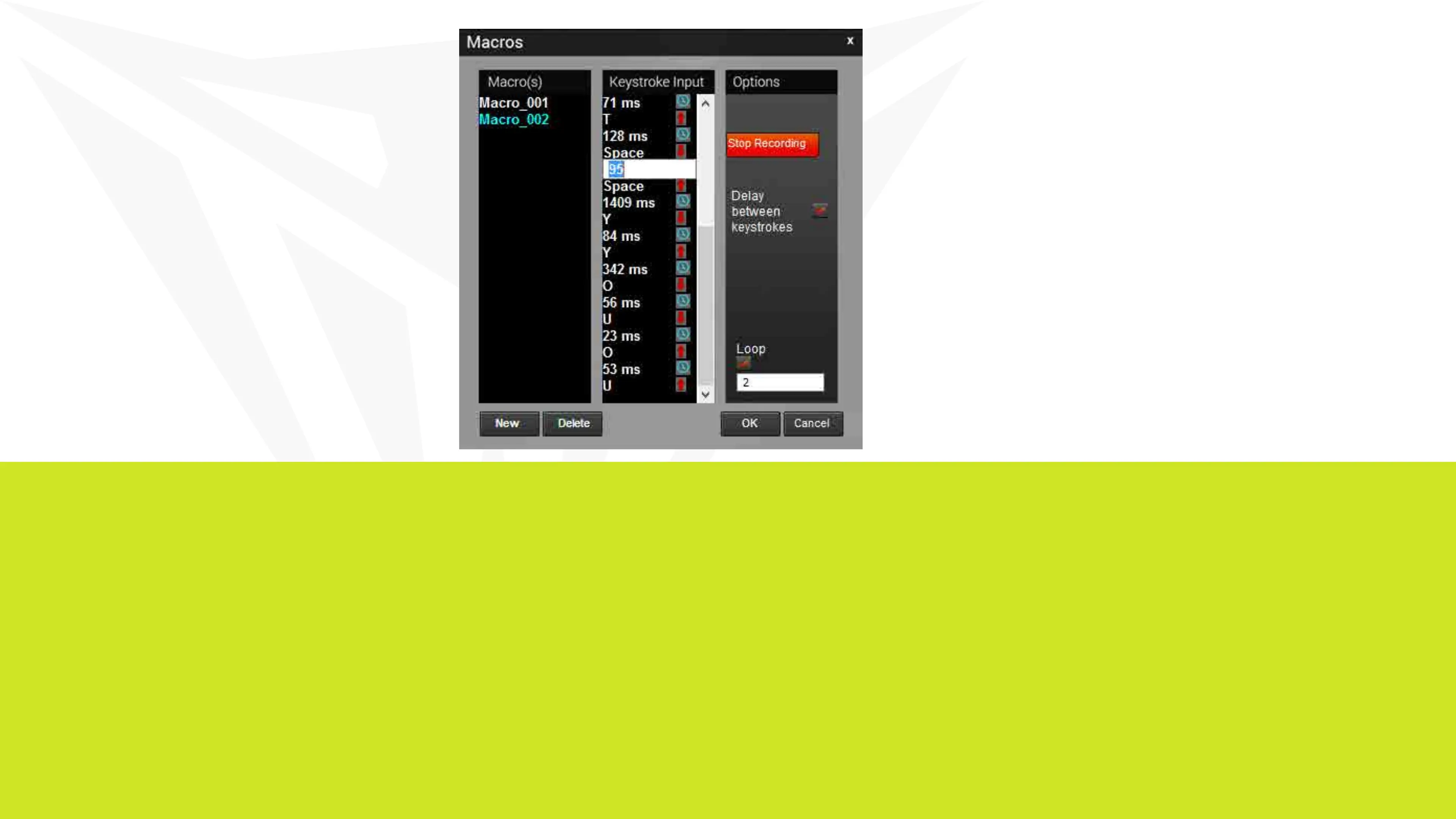
Delay between keystrokes – You may add delays between script key-
strokes by checking the box next to Delay between keystrokes. Once you
stop recording, you may edit delay time manually by double clicking on it.
Loop – By checking the box under Loop, you may assign the number of
times a macro script runs when you press macro key.
Saving a Macro
Once you have recorded a macro script, click OK to save and
exit the macro editor.
Deleting a Macro
Open the macro editor, and select a macro from the macro list
and click Delete.


 To Next Page