ADVANCE
This allows you to browse various folders (i.e. music, photos), and assign functions to keys making them hot keys,
including playing music, opening folder, start up function, and more.
Click a key you wish to assign an advance function to on the keyboard image (except for the Windows® key).
Click on the Advance tab from the SELECTED KEY menu and choose the function you wish to assign from the list.
Click Save, enable GAME MODE, click Apply.
To restore original function disable GAME MODE, and click Apply.
DISABLE KEYS
You may disable any number of keys by checking the Disable Keys box on the SELECTED KEY menu, saving, enabling
GAME MODE, and clicking Apply.
Creating and Saving User Proles
The Profiles function allows you to set up and save custom settings for different games, keyboard appearance, or per-
formance, and access them easily.
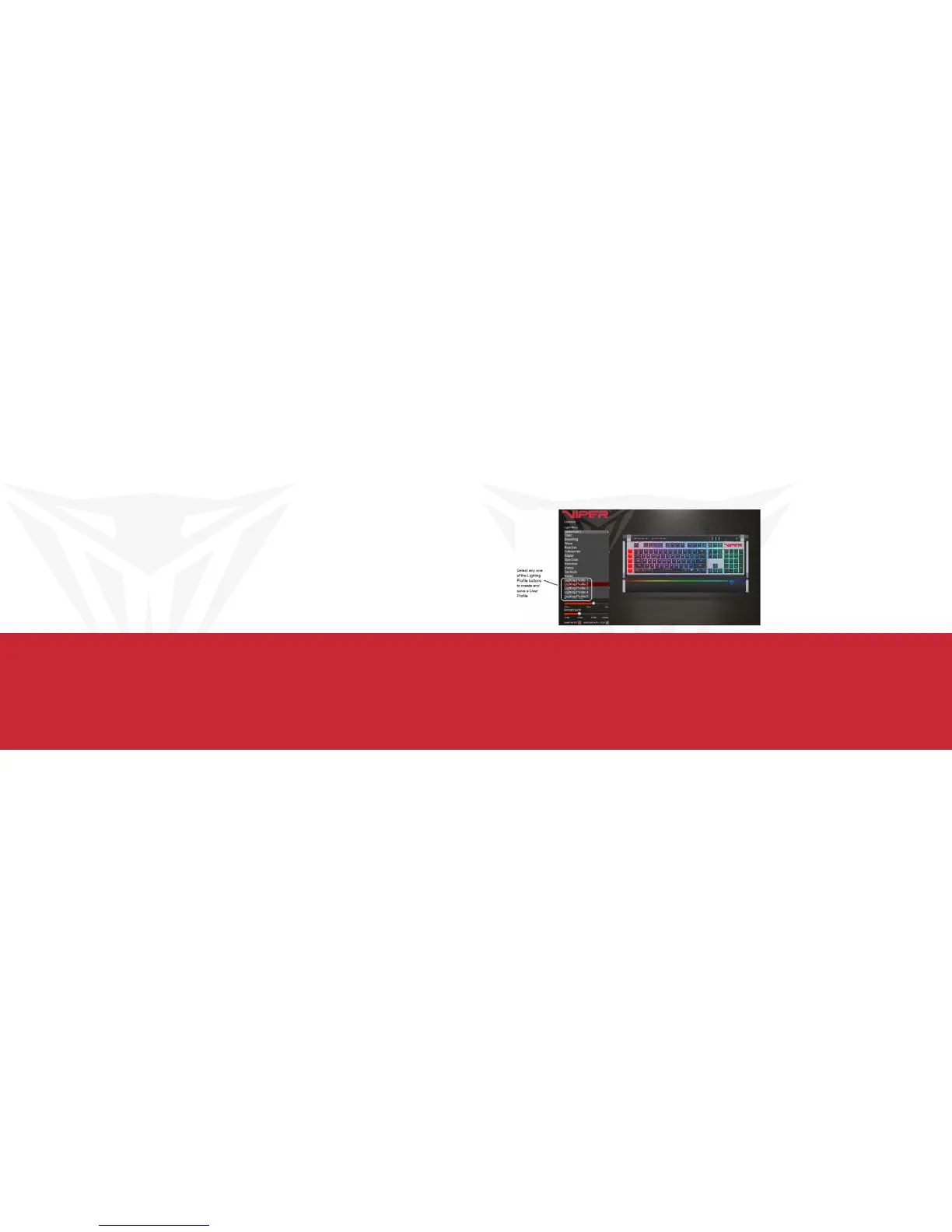
You may create and save as many different user profiles as your hard disk space availability will allow. You will need
one of the “Lighting Profile” buttons under the Lighting Effect menu to create and save specific user profiles. You may
choose any one of the five “Lighting Profile” buttons for creating and saving user profiles.


 To Next Page
 Loading...