26
IMPORTANT NOTES:
is sent to the After Sales Service, the cycle counter is reset. The internal
components are checked and repaired or replaced if required.
ing machine, resulting in severe injuries for
the user.
8.2 Crimping machine servicing
8.3 Motor maintenance
not obstructed. Remove any dust and contamination built up.
8.4 Connection with the software
ing machine can be connected to a PC with a USB 2.0 type A male / mini USB male cable. Hence, you may
see the number of cycles performed by your crimping machine, as well as the status of the last cycle performed.
WARNING:
ing machine before connecting the machine to the PC.
You may download the software to connect the machine and its user manual on our web site: www.virax.com.
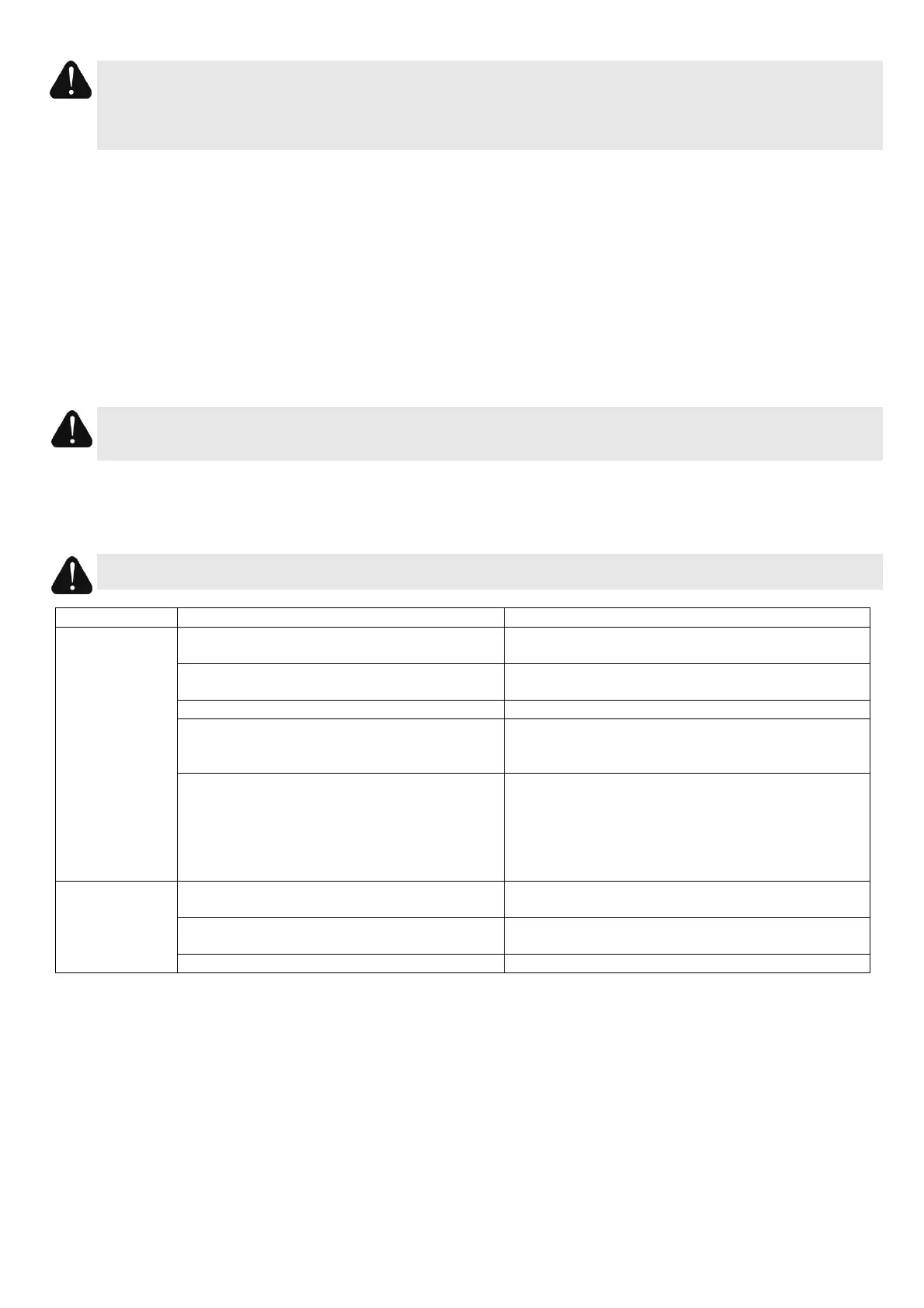
9 Troubleshooting
WARNING: Leaving the battery connected before adjusting or changing the accessories may cause severe
injuries.
The machine has not been used for 10
minutes and switched off automatically.
Power back on the machine by pressing the
ON/OFF button.
The battery is discharged. In this case, the
Fit a fully charged battery.
Fit a new battery reference: 253244).
The mechanism is faulty. In this case, the
and the machine switches off automatically.
Send the crimping machine to the After Sales
Service.
Crimping has reached 30,000 cycles. In this
10 seconds and the machine switches off
LED flashed orange to notify the forthcoming
maintenance.
Send the crimping machine to the After Sales
Service.
The tool does
not finish a
cycle
The jaw used is not compatible with the fitting.
Select the jaw recommended by the fitting
manufacturer.
The fittings exceed the maximum capacity of
the tool.
Refer to the specifications of the machine.
Change the faulty jaw by a new one.
10 Guarantee
Guarantee coverage
This guarantee covers all materials faults or manufacturing defects of your VIRAX crimping machine. In this case, the tool
will be returned free of charge. Your tool shall be repaired or replaced with an identical spare part.
What is not covered by the guarantee
Faults due to improper use, abuse, non compliance with the operating instructions, intervention on the machine of a
person not approved by an After-sales repair center or normal wear are not covered by this guarantee.
If the crimping machine reaches 30,000 cycles crimping in the guarantee period, the user must return it to the After Sales
Service. This maintenance is part of the normal life of the crimping machine, and is not covered by the guarantee. The
guarantee is extended to the end of the 2-year period.
VIRAX waives any liability for damage incurred by accessories or caused to objects or persons close to the machine.


 To Next Page
 Loading...