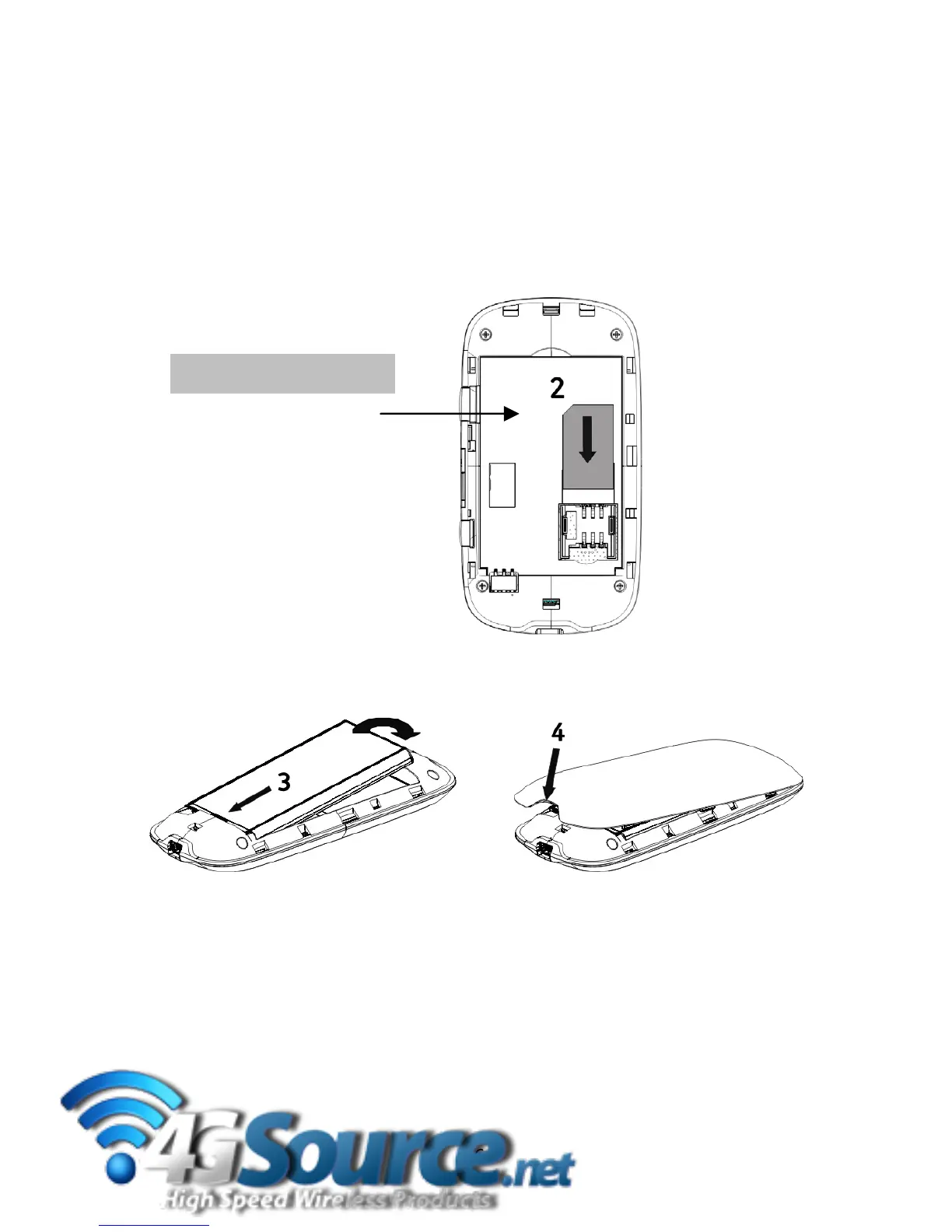
2.1InsertyourUSIM
1.Slidethebackcoverdowntoopen.
2.Insertthe(U)SIMcardwiththegoldcontactsfacingdownandthebevelled
edgeonthelefthandsideasshown:
TIP
TheSSIDandpassword
settingsareprintedinthe
batterycompartment.
3.Inser
tthebatterywiththecontactslocatedagainstthegoldsprings:
4.Lineupthebackcove
randslidebackintoplace.
5.Pressandholdthepowerkeyfor3secondstoswitchtherouteron.
6



 To Next Page