ENGLISH
EN
08
A successful training program includes a warm-up, the actual training
and a cool-down. Perform the complete training program at least
twice, but preferably three times a week and keep a rest day between
training sessions. After a few months, the intensity of the training can
be increased, for example to four or five times a week.
The warm-up
The purpose of a warm-up is to prepare the body for training and to
reduce the risk of injury. Warm up your body for two to five minutes
before starting a cardio or strength training session. Do exercises that
increase the heart rate and warm up the working muscles. Examples of
this type of activity are running, jogging, jumping jacks, skipping and
running in place.
Stretching
Stretching while the muscles are warm is very important after a good
warm-up and cool-down. It reduces the risk of injury. Stretching
exercises should be held for 15-30 seconds. Here are some examples of
stretching exercises:
• Toe touch (Fig. D-1)
• Inner thight stretch (Fig. D-2)
• Hamstring stretch (Fig. D-3)
• Achilles stretch (Fig. D-4)
• Side stretch (Fig. D-5)
Cooling down
The purpose of the cool-down is to return the body to its (near) normal
resting position at the end of the workout. A good cool-down slowly
reduces your heart rate and promotes recovery.
CAUTION! When the device is started, each option is displayed with
a 5-second pause. Press the "M" button to switch between standard
mode and manual mode.
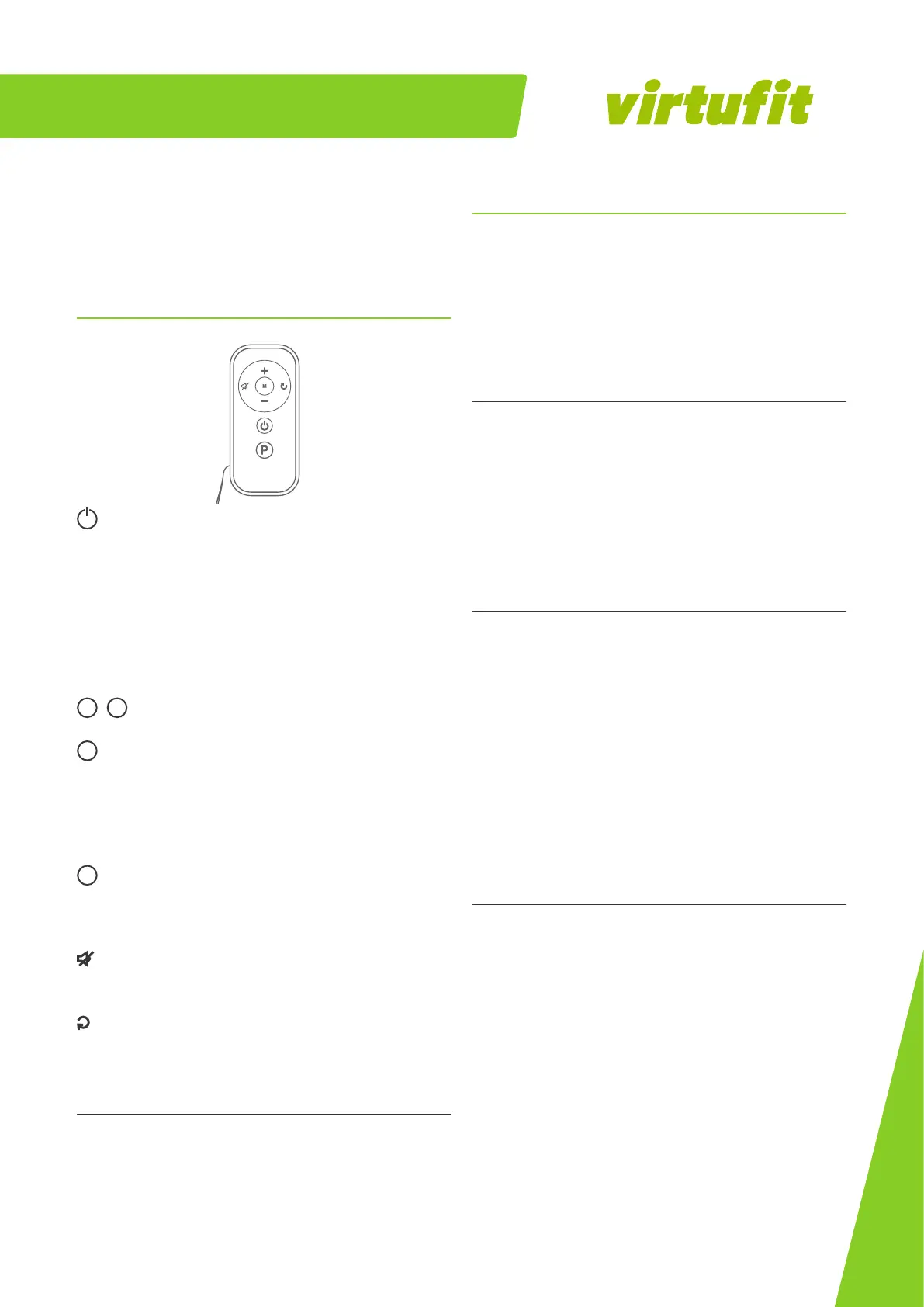
START/STOP
• Standby or countdown mode: Press "START/STOP" to start the
treadmill.
• Program mode: Press "START/STOP" to start the preset program.
• During exercise: Press "START/STOP" to slowly stop the treadmill
and put it in standby mode.
• After exercise: Press the button and the treadmill will stop
slowly. The data will be retained until the unit is turned off.
+
/
-
SPEED Increase or decrease the speed.
M
MODE
• Standby mode: Switch to a different display (TIME - DISTANCE
- CALORIES).
• During exercise: Switch between the scrolling display and
single display mode.
P
When the treadmill is in standby mode, you can select from 12 preset
programs. The programs are shown on page 03.
VOLUME
To mute the sound. Press again to restore volume.
RESET
In standby mode: Resets the data.
Linking the remote control
• Make sure the treadmill is on.
• Press and hold "SPEED -" and "M" on the new remote for 6
seconds, and light will flash on the remote.
• The remote is paired within a few seconds.


 To Next Page
 Loading...