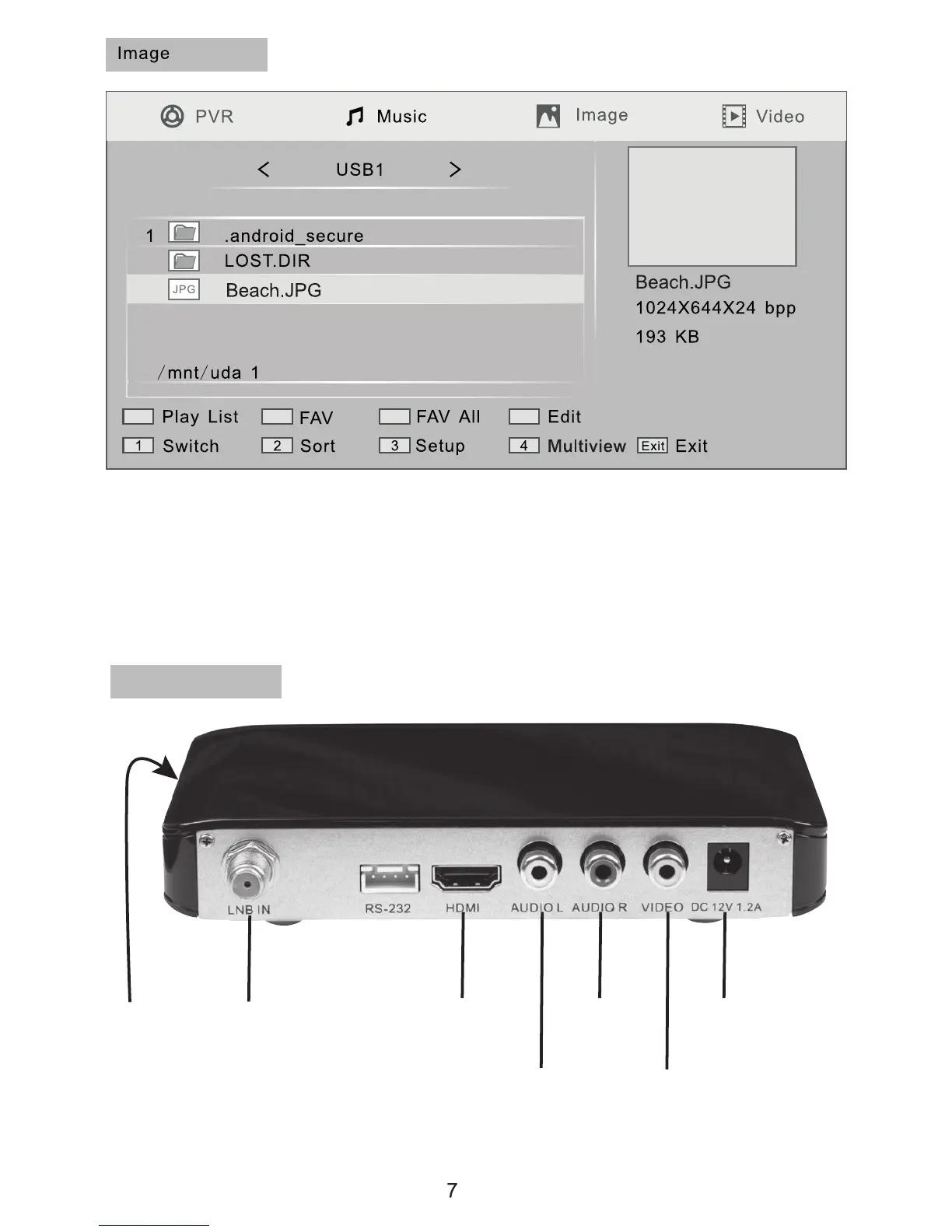
To view photo images stored on devices connected via the USB port, from
the main menu use the arrow keys to select “Media player” then select
“Image” and the screen shown above will open. Select an image and press
the [OK] key to view. A preview image appears in the window in the top
right corner of the screen.
Connection
for USB
Devices
Satellite
Dish
Connection
HD TV
Connection
Stereo
Left
Channel
Stereo
Right
Channel
Composite
Video
Mains
Adaptor
Connection
Connections


 To Next Page