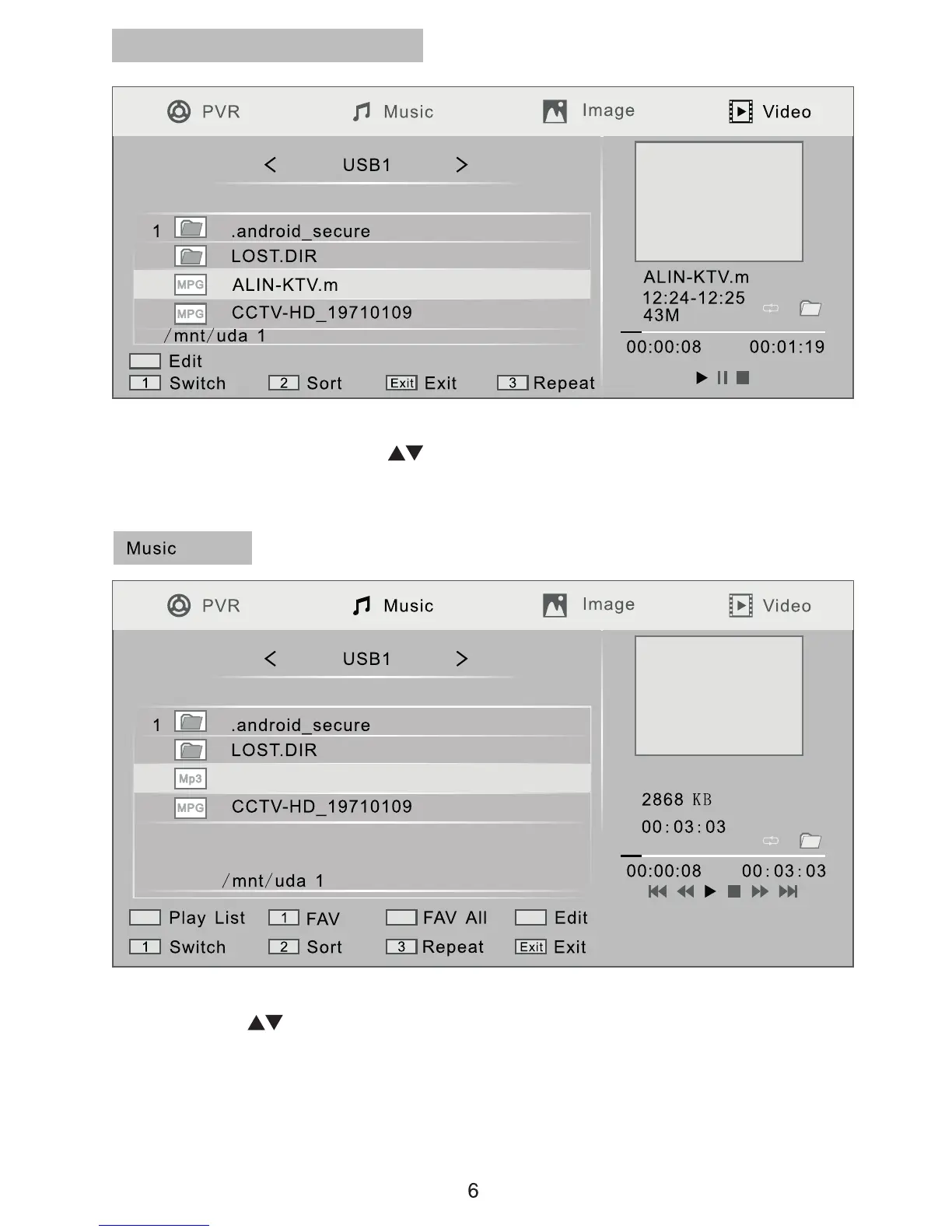
To playback non PVR videos stored on devices connected via the USB port,
from the main menu use the keys to select “Media player” then select
“Video” and the screen shown above will open. Select a video and press the
[PLAY] key to play.
To play music stored on devices connected via the USB port, from the main
menu use the keys to select “Media player” then select “Music” and the
screen shown above will open. Select a music track and press the
[OK] key to play.
Non PVR Video Playback
Hallelujah.mp3
Hallelujah.mp3


 To Next Page