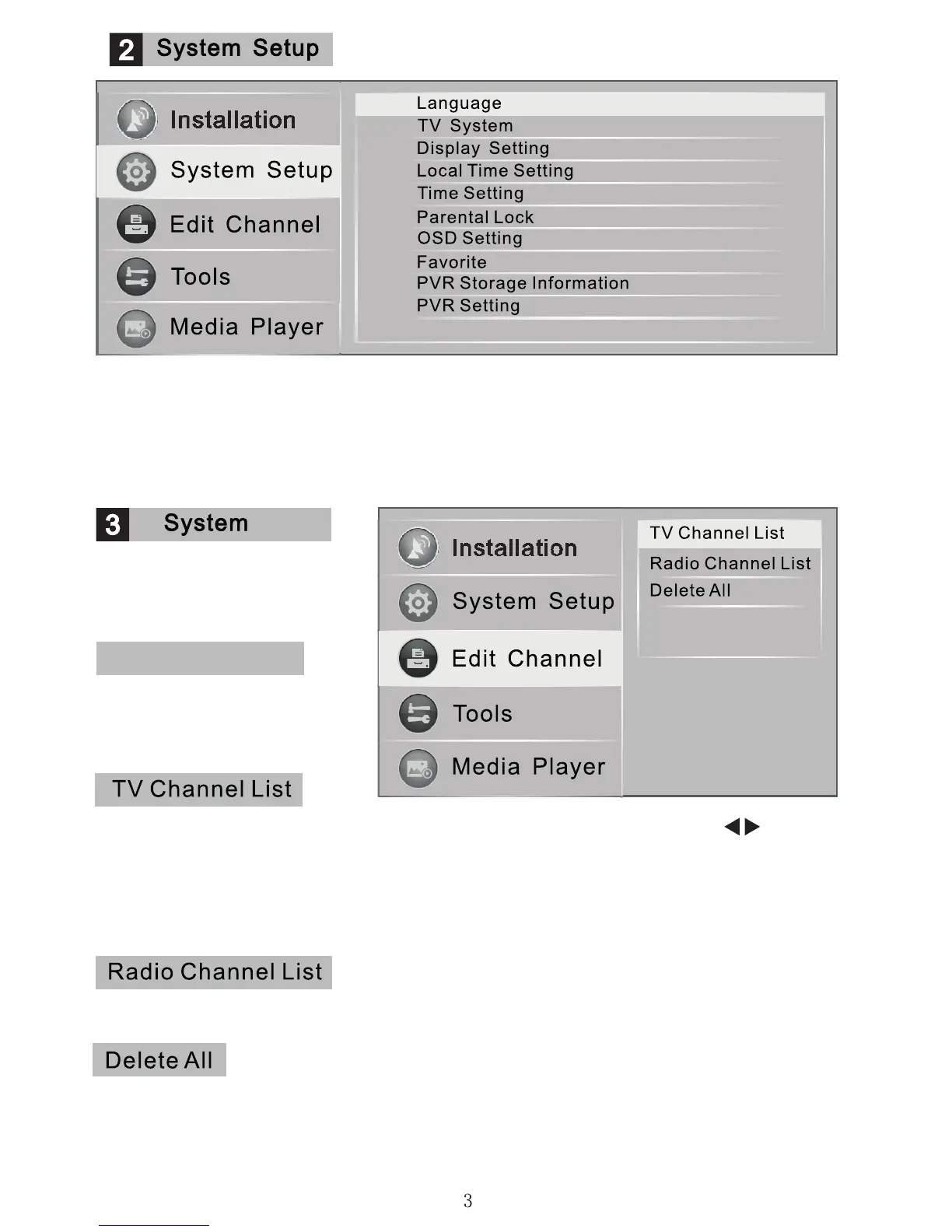
In the system set up menu, press the arrow keys to select the type of
information youwant to change, such as Language. Display, Video output and
display, time settings, parental lock, favourite list , PVR information and settings.
The password for Parental Lock is "0000" in default settings. In Parental Lock
you can lock and unlock the channels and change the password as well.
Channel list management.
Arrange channels searched
into groups.
Enter the “TV Channel List” to see all the channels found, use the keys to
change satellites. Edit the channels using the favourite, lock, delete, edit and
function keys. Using the colour keys indicated to select the functions and up
and down arrow keys to switch between the channels to be edited,
Press OK to conrm.
Can be edited in exactly the same way as the "TV Channel List"
A warning window appears if you select that you want to delete all the
channels, conrm whether you want to delete all the information.
Edit Channel
Channel list management
groups channels found
together during searches.


 To Next Page