2
6
Controls and Connections
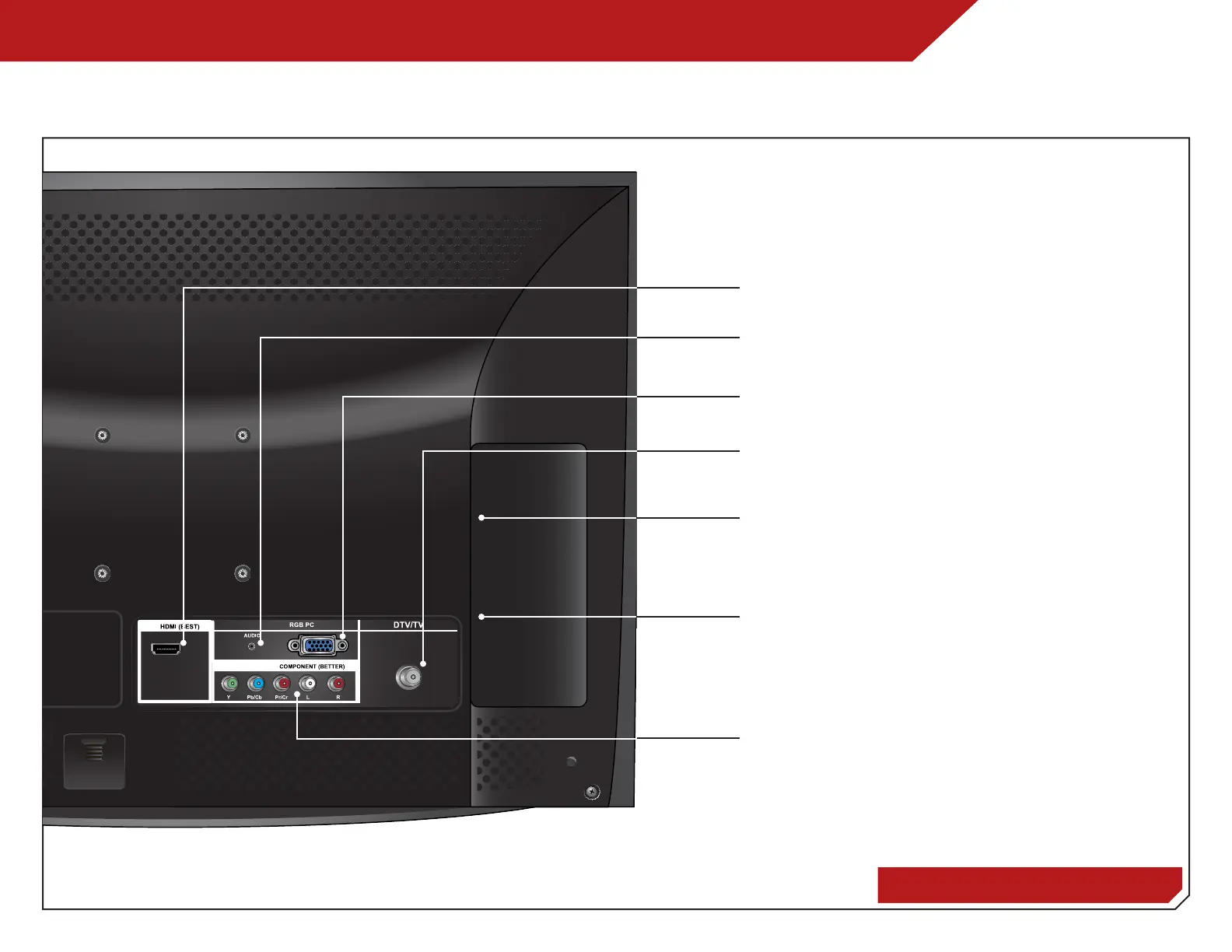
REAR PANEL (E191VA & E221VA)
Rear Panel - E191VA & E221VA
HDMI - Connect HDMI device.
PC Audio In - Connect 3.5mm PC audio cable.
RGB - Connect RGB cable to PC.
Component/Composite - Connect component or
composite device.
Coaxial - Connect coaxial cable from cable,
satellite, or antenna.
3.5mm Audio - Connect headphones powered
speakers, or other 3.5mm audio device.
USB 2.0 - Connect USB thumb drive to play photo
slideshow or to update firmware.



 To Next Page