3. Luminance >= 200 cd/m
2
in the center of the screen when Brightness control at
100, Contrast control at 100, Backlight control at 100.
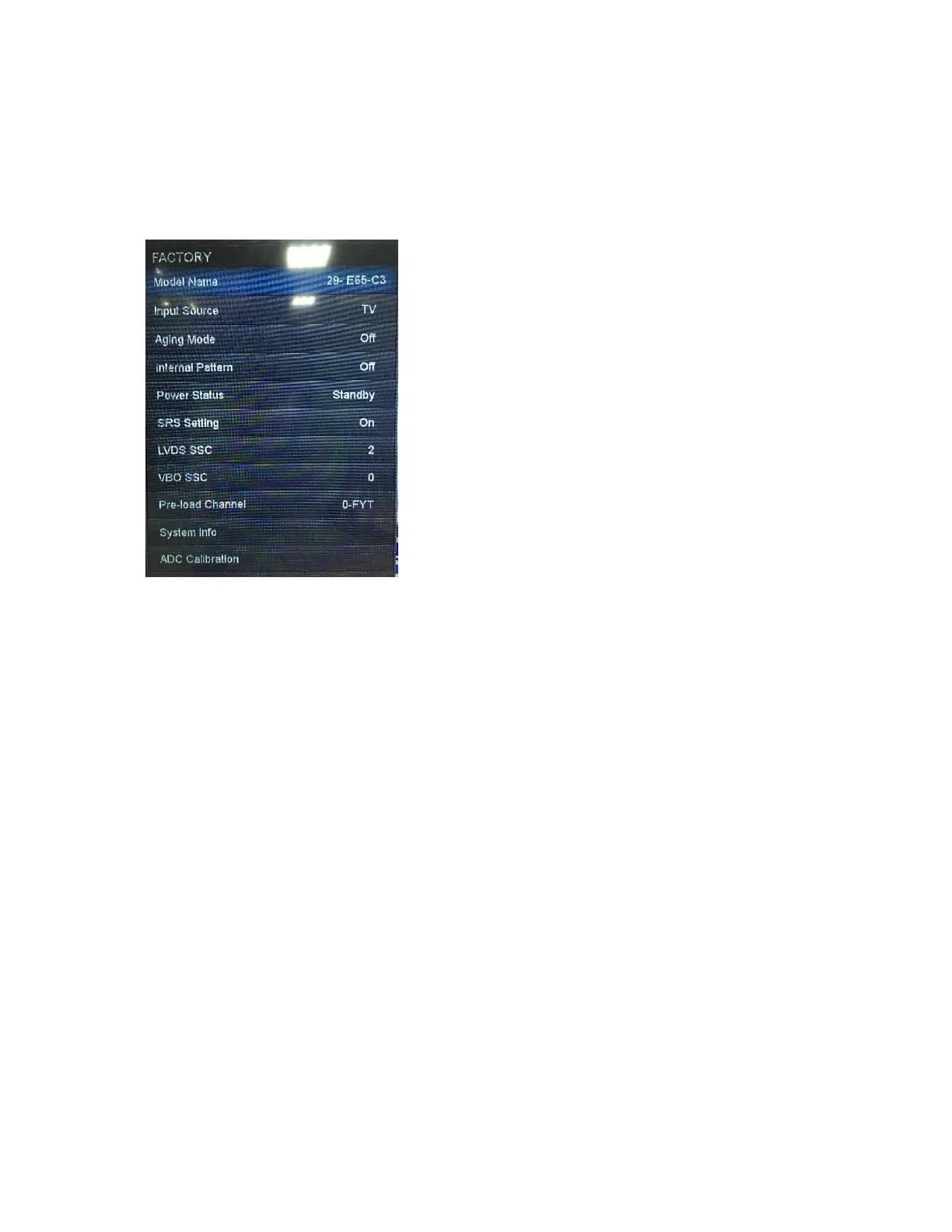
[2] SERVICE MODE
Enter factory mode menu: press MENU + Numeric keys “3481” to enter factory
mode.
While TV is in normal Power On state, press Remote Power Key again to leave
Factory Menu, TV entry Standby state.
[3] SOFTWARE UPGRADE PROCEDURE
1. utv upgrade: (Now it’s only available for secured TV)
For utv upgrade, you’ll receive a file with the extension (*.utv) and a text file
“updatelogic.txt”. The content of “updatelogic.txt” is the file name of the utv
file.
For example, if the utv filename you got is “V1.34.23-SEC.utv”, the content of
“updatelogic.txt” will be “V1.34.23-SEC.utv”.
Steps to upgrade:
a. AC on and DC on to power on the TV.
(You can see the OSD or Video on the screen)
b. Put “V1.34.23-SEC.utv” and “updatelogic.txt” these two files in the root
of the USB flash.


 To Next Page