VISIONEER MOBILITY SCANNER USER’S GUIDE
10
INSERT THE BATTERY
The battery comes pre-installed in the scanner’s battery compartment. Simply turn the scanner over and
remove the protective plastic strip from the battery compartment.
If the battery is not pre-installed in your unit, or if you need to replace the battery for any reason, please
follow these instructions for installing the battery.
Warning: Only use the battery model provided with the scanner (NP120 for 3.7V 1700mAh).
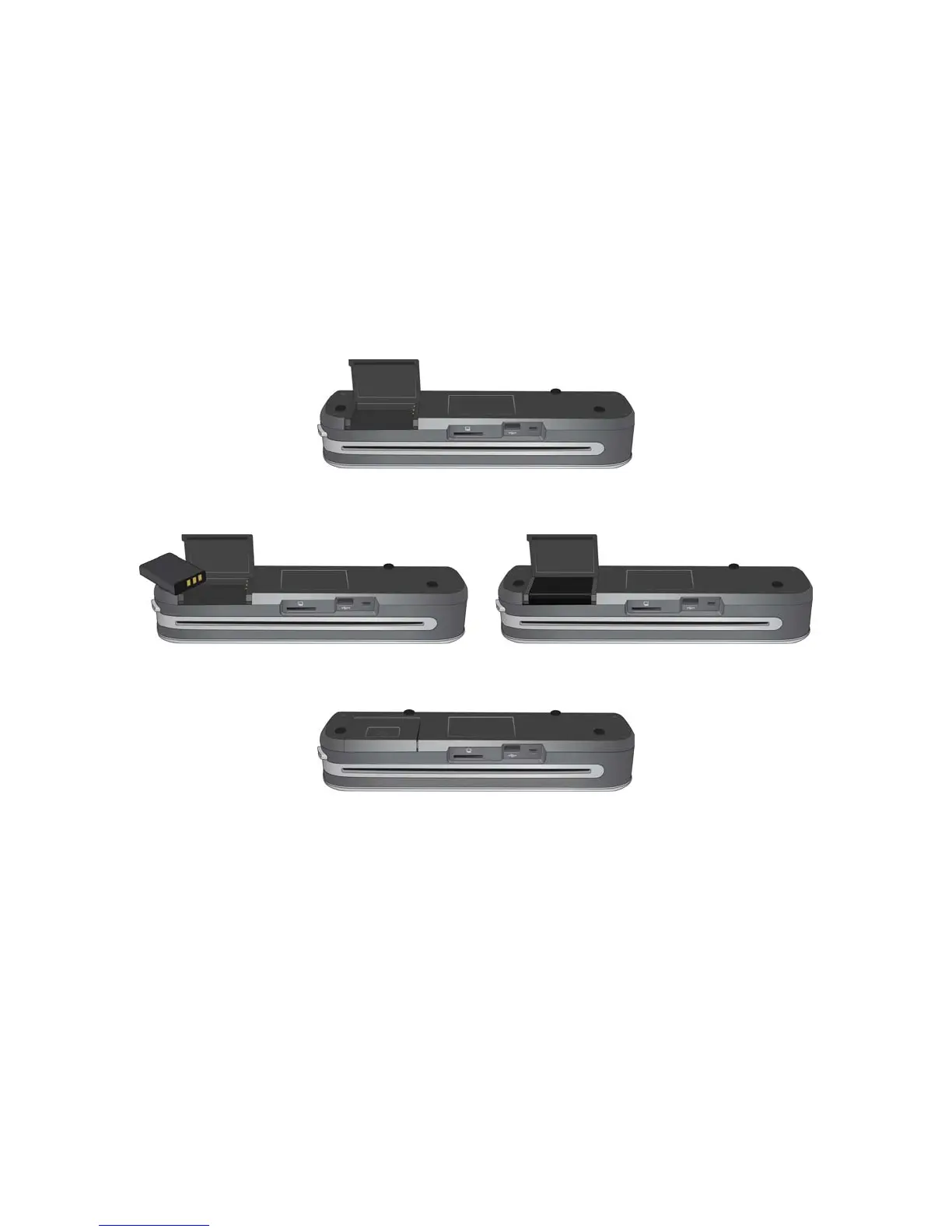
1. Open the battery cover on the underside of the scanner.
2. Insert the battery into the compartment. Make sure the battery is inserted in the correct position.
3. Lower the compartment lid and slide the lid in place to lock it.











 To Next Page