WELCOME
11
CONNECT THE SCANNER TO CHARGE THE BATTERY
Important!
• Allow the battery to charge for at least 8 hours before using the scanner the first time.
Note that recharging the battery, after using the scanner, takes only 4 hours for a completely drained
battery.
• Do not turn on the scanner power when charging the battery.
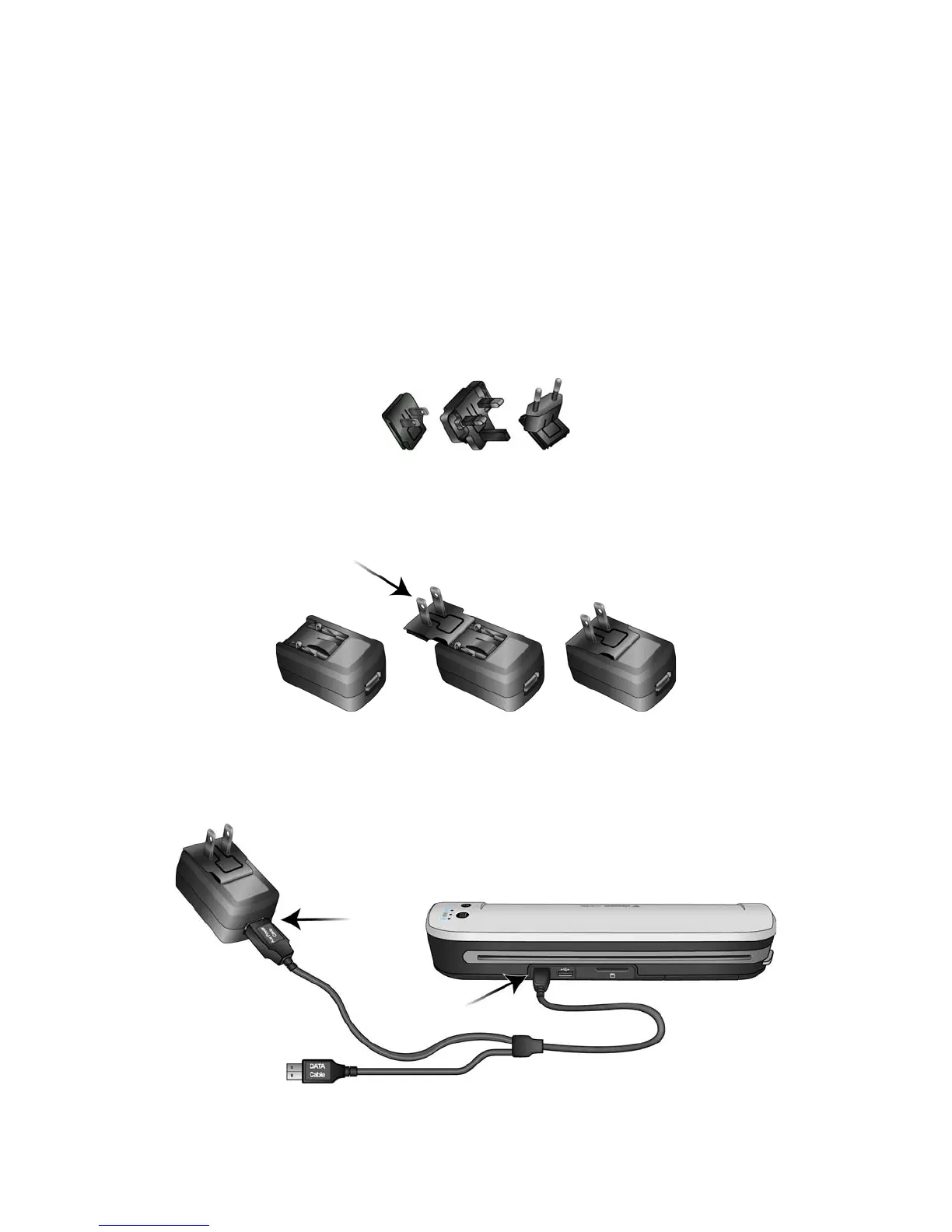
Assemble the power adapter:
1. Select the power plug adapter that is appropriate for the wall outlet in your country.
2. Slide the power plug adapter into the power supply base.
Charging the Battery:
1. Insert the small end of the USB cable into the USB port on the back of the scanner. Plug the flat end
labeled Aux Power Cable into the power supply base.
North America, U.K., Europe











 To Next Page