09060 Issue 1
5
Page of 40
EN
Alpha - Instructions for Use
1.1. Features
The features include:
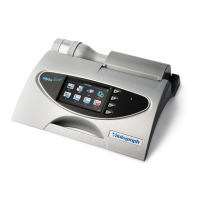
• Fleisch type pneumotachograph
• Ambient temperature sensor
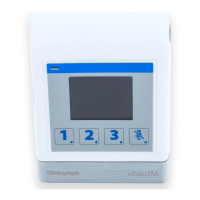
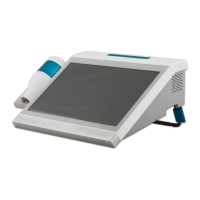
• Colour touchscreen display
• Sounds for audio feedback
• Integral 4” thermal printer
2. Setting up the device
Check that the contents of the packaging match the contents label inside the
carton.
Preparing for use:
1. Unwrap owhead connection tubing and connect one end to the device
base. The tubing is keyed, so will only connect one way.
2. Connect the other end of owhead tubing to the owhead.
3. Open the printer door and check that a roll of thermal paper is present.
4. Only use the device with the purpose-built low voltage power supply unit
with which it is supplied. Attempted use with other power sources may
cause irreparable damage and invalidate the warranty. The output from the
power supply is 12 volts DC.
5. Connect the power supply into the socket on the rear of the device. Plug the
mains plug into a suitable socket, press the On/Off switch on the side of the
instrument. The device is ready for use.
6. The device is tted with rechargeable batteries, which allows the device to
be used without the power supply connected.
7. On rst use the internal battery pack will require a full charge, this may be
completed overnight and will take a minimum of 12 hours.
If the device has just been unpacked or transported, ensure that it is left sitting,
fully powered and is at room temperature prior to testing.
Ensure a calibration verication is completed at least once daily, prior to using
the device (see Section 3.4 Calibration Verication).
3. Operating Instructions
On all screens:
the (blue) arrow at the top left goes back one step,
the (green) arrow at the top right moves forward one step.
1. After turning on the device for the rst time, the Start-up Wizard opens
giving 2 options:
DeviceCong allows the user to change audio level, haptic feedback,
screen brightness, units and language.
Date/Time allows the user to update the Date/Time.



 To Next Page