09060 Issue 1
7
Page of 40
EN
Alpha - Instructions for Use
All subject demographics may be added in the add subject screen.
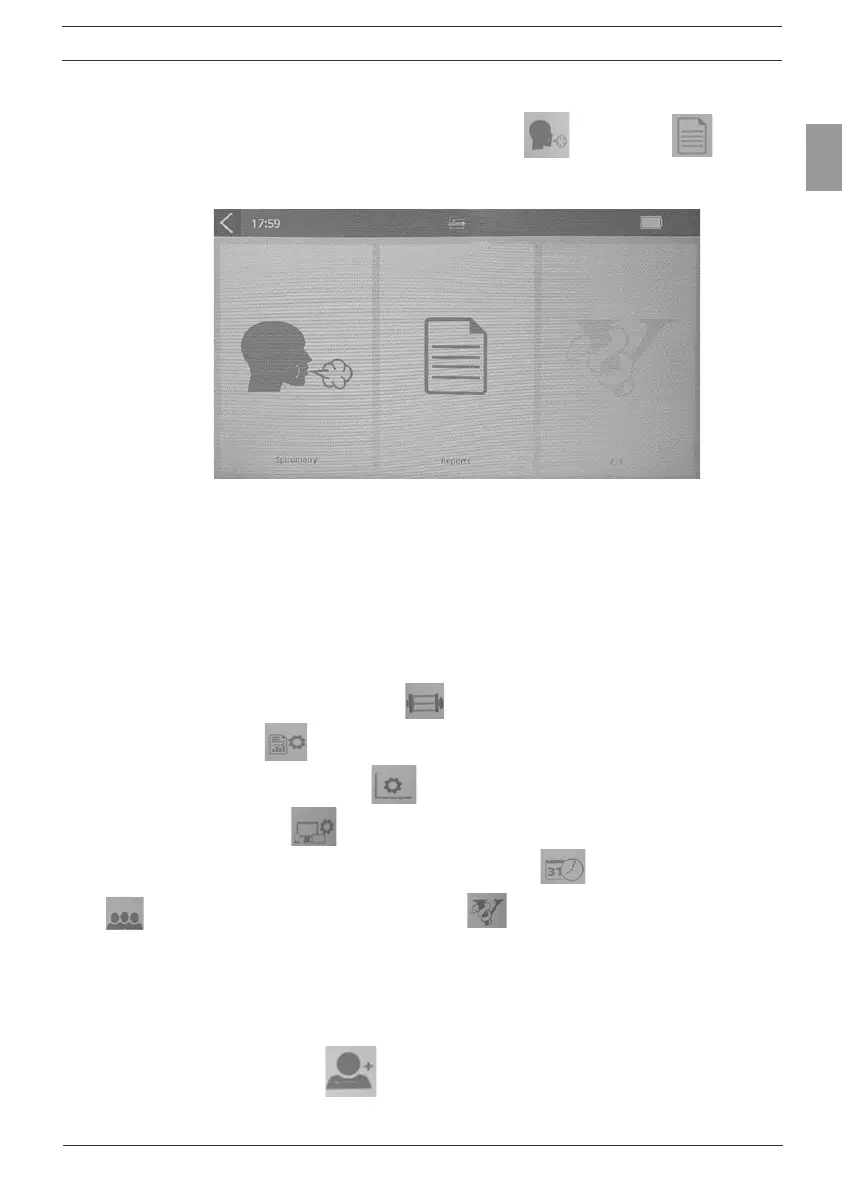
5. Quick Test allows the user to select Spirometry or Reports .
Reports will always be blank for the Quick Test.
Figure 3
Spirometry option includes VC, FVC and Post (see Sections 3.2
Conducting a Test).
Report option allows printing of a subject’s report to the internal
printer (see section 3.3 Reporting).
6. Conguration - allows the user to:
• carry out a calibration verication (Section 3.4),
• congure reports (Section 3.3),
• congure parameters for test (Section 3.2),
• congure the device including audio level, hepatic feedback and
screen brightness level, setting the date and time , population groups
(Section 3.1) and has the About box containing details of the
device, including software revision number (Section 6.1).
3.1. Entering Subject Data
1. Select ‘Subject’ from the Main Menu.
2. Select ‘Add Subject’ .
Subject information elds are divided into primary and secondary, on 2



 To Next Page