ENGLISH
10
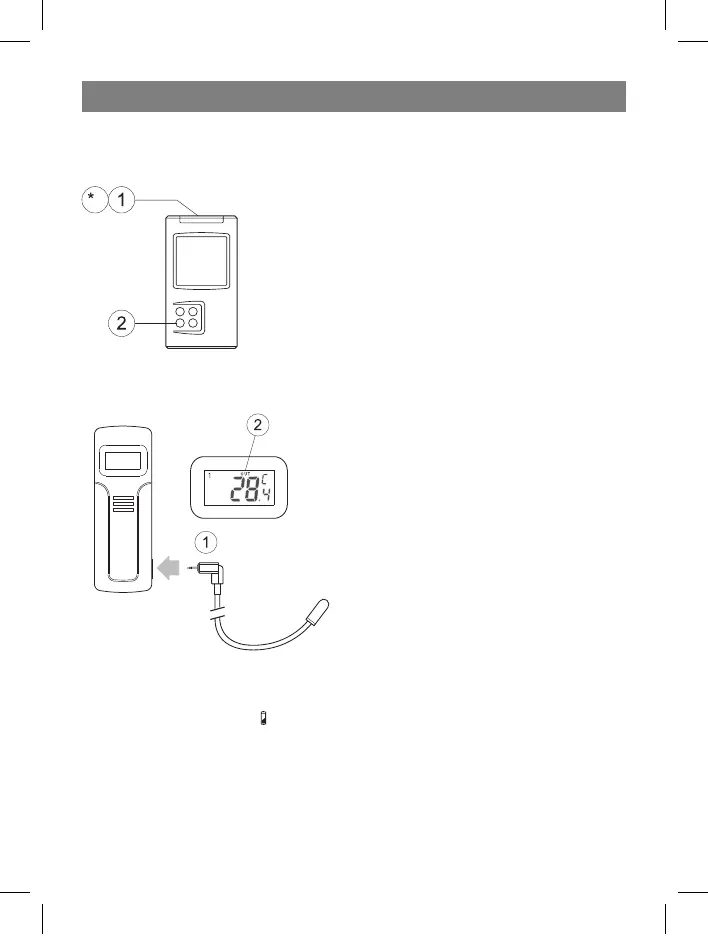
BACKLIGHT
This meteorological station has a backlight. Pressing ANY button will activate the back-
light. To save energy, you can turn the backlight on or off. To do this:
1 Press and hold the Mode/Snooze button to activate
the time settings menu.
2 Press the Channel button to activate or deactivate
the backlight.
• Press the Mode/Snooze button to exit the settings
menu.
USING AN EXTERNAL WIRED SENSOR
The remote sensor has a jack for connecting an external wired sensor.
1 Connect the plug of the external sensor to
the jack on the remote sensor.
2 After connecting the external wired sensor,
the display will show the following:
- temperature reading from the external
sensor,
- the “OUT” symbol.
LOW BATTERY INDICATOR
Receiver:
1 If the low-battery symbol
appears on the receiver display under the weather trend
data, that means the receiver’s battery will soon die. The receiver will begin to oper-
ate poorly.
For example:
- the LCD will become dim
- the operating range of the remote sensors will decrease, data from remote sensors
may be lost.
35391.indd 1035391.indd 10 23.05.2006 17:08:5223.05.2006 17:08:52


 To Next Page