24
General Parameter Settings
Press and hold the UP + DOWN key for more than 2 seconds At the same time to enter
the normal setting state. Press and hold the DOWN + i key for more than 2 seconds at the
same time to enter the wheel diameter setting interface.
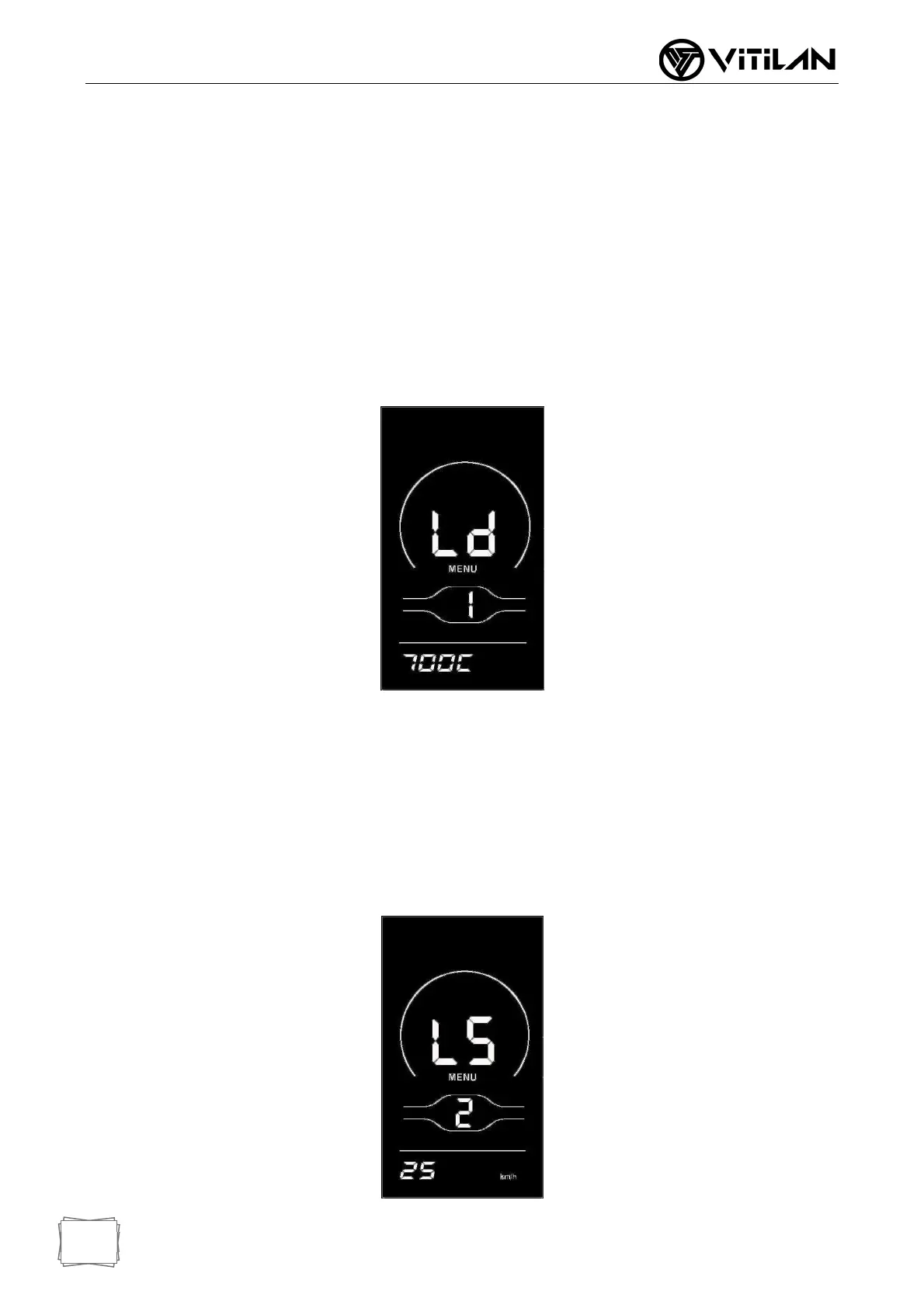
◆ Wheel Diameter Settings
Ld represents the wheel diameter and can be set at 8-26, 700C, 28-30. Select the
corresponding wheel diameter of the vehicle through UP/DOWN key to ensure the
accuracy of instrument speed display and mileage display. The default wheel diameter
value of the instrument factory is 26inch. Press the "i" key briefly to enter the speed
limit setting interface.
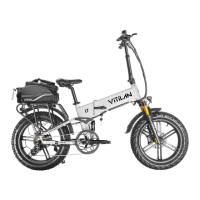
◆ Speed Limit Settings
The default value of the highest riding speed of the instrument leaving the factory is
54Km/h. Changing this value can set the highest riding speed of the electric vehicle.
When the electric power exceeds the set value, the controller will stop supplying power
to the motor to protect the riding safety. LS indicates the speed limit. The optional
range of the maximum speed setting value is between 12Km/h and 55Km/h, which can
be added/subtracted through UP/DOWN key. Press the "i" key for a long time to
confirm and exit the setting state



 To Next Page