12
(1) Digital Shutter: Digitally control amount of light, the
amount is smaller the image is darker and the frame rate is
also slower.
(2) Video Brightness: Adjust image brightness.
(3) D-WDR: Digitally adjusting exposure in areas of the frame
to maintain optimum detail in both the shadows and
highlights of the image.
(4) DEFOG: De-Fog. When observing under strong light or
special environment, use Defog function to see clear image.
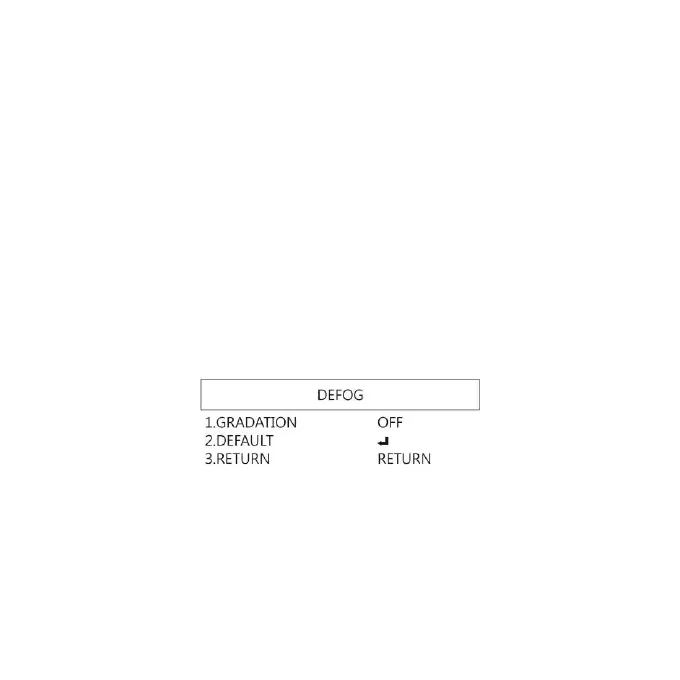
Below fig for De-Fog setting. When select AUTO, enter the
DEFOG Setting.
(4-1) GRADATION: To set gradation levels near the edge
of defog area.
(4-2) DEFAULT: Return to factory setting.
(4-3) RETURN: Choose from RETURN/EXIT (Auto Save
Setting) or Return/Exit without Save setting.


 To Next Page