13
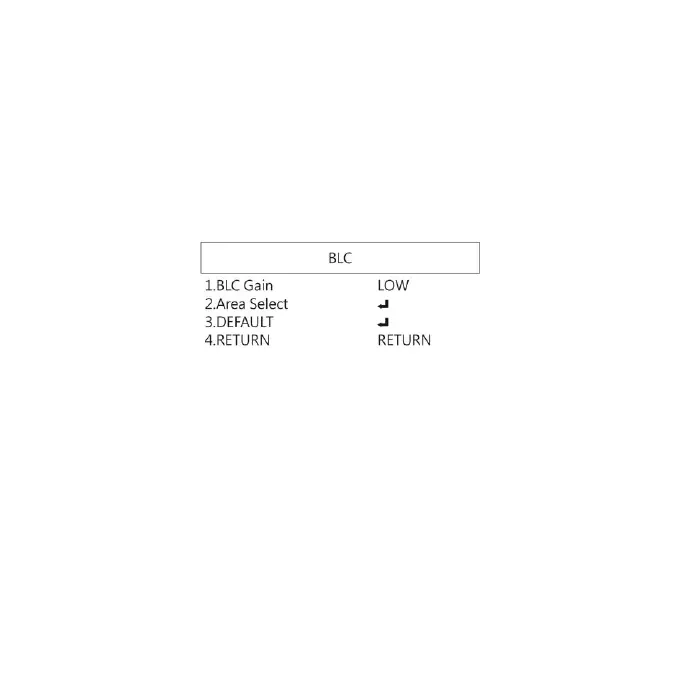
1.4.2 BLC
Press left/right button to choose turn on/off Backlight
compensation mode.
(1) OFF :Disable backlight function.
(2) BLC (Back Light Compensation)
To adjust brightness for darker image in back light
environment.
(2-1) BLC Gain: To adjust brightness level.
(2-2) Area Select: Choose the back light compensation
area and size.
(2-3) DEFAULT: Return to factory setting.
(2-4) RETURN: Choose from RETURN/EXIT (Auto Save
Setting) or Return/Exit without Save setting.


 To Next Page