14
1.4.3 Manual WB
Calibrate the white light balance, to find out right White color.
(1) AWB: Auto white balance.
(2) ATW: Trace white area on the sample and auto-calibrated.
(3) AWC->SET :Semi-auto white balance. Use to track the white
color from current image. (Same as 1.3, (17) operation)
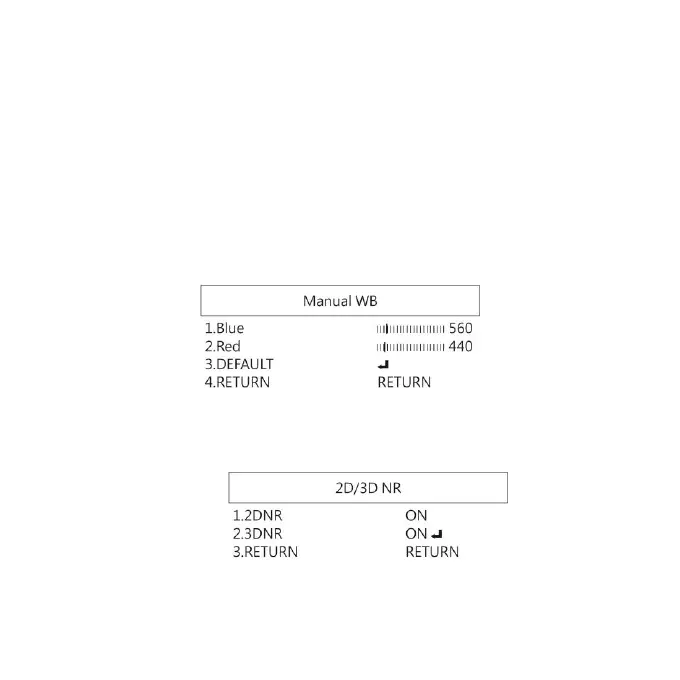
(4) MANUAL: Manually adjust blue and red values to find
correct white color. Refer to below fig.
1.4.4 NR
Noise Reduction:(NR) To obtain high quality output image and
increase file compression. See below:
(1) 2D NR:ON/OFF, Edge Preserving 2D NR.


 To Next Page