23
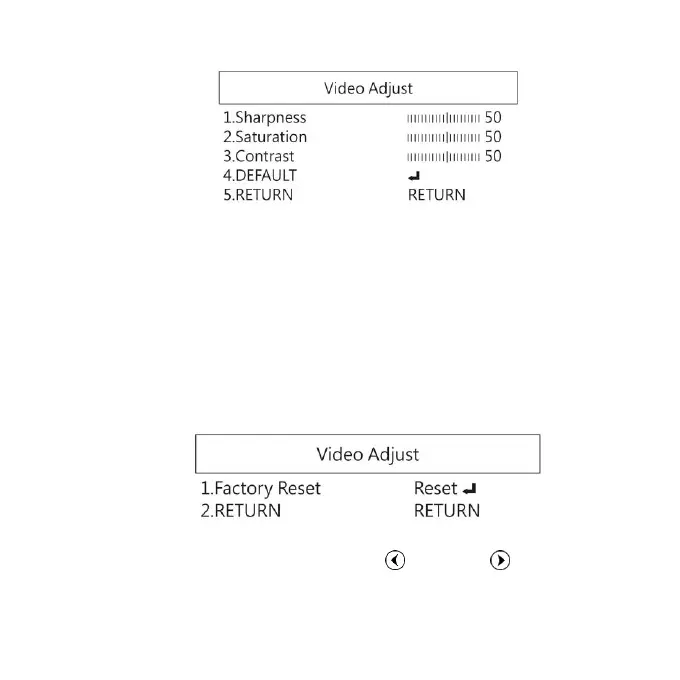
(1) Sharpness: Adjust Sharpness, higher value increases the
higher contrast along/near edges of the image.
(2) Saturation: Adjust image saturation.
(3) Contrast: Adjust image contrast.
(4) DEFAULT: Return to factory setting.
(5) RETURN: Choose from RETURN/EXIT (Auto Save Setting)
or Return/Exit without Save setting.
1.4.7 Video Adjust
Reset all parameter to factory setting.
1.4.8 Return:
Exit the menu directly. Press left and right button to
choose exit from menu but not save any setting.


 To Next Page