6
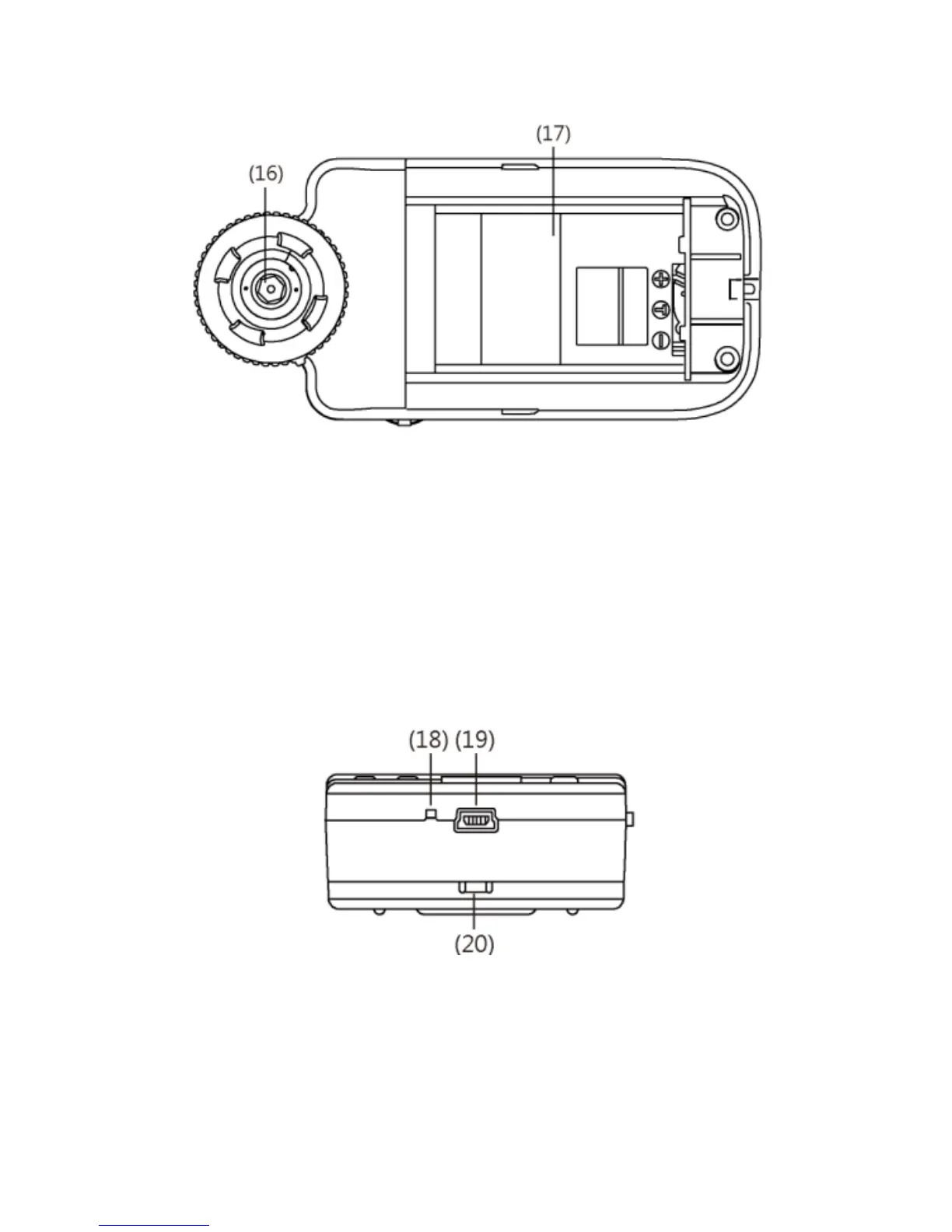
(16) Lens: the lens is applied to photography.
(17) Battery Container: Where is the Li-ion battery put. [please
refer to item (5) of Section 1.5].
(18) RESET Hole: in case the machine stops (which means no
reaction in the image by pressing any button), insert slender
clip into the hole to trigger the RESET button.
(19) USB Connection Port: the port is applied to connect USB
device to computer [please refer to item (6) of Section 1.4 and
item (1) of Section 1.5].
(20) Handing Hole: a hanging hole for the Wrist Strap [please refer
to item (4) of Section 1.5]
1.3 Operation of Microscope



 To Next Page