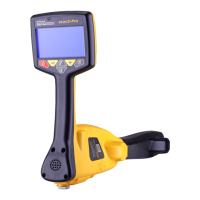
2.3 Operating the vLoc3-MLA Accessory with a vLoc3-Pro
When not being used as a standard cable locator, the vLoc3-MLA accessory enables
thevLoc3seriesreceivertobeoperatedintwoothercongurations:
• Dedicated marker locator
• Dual cable locator and marker locator
Note
Line depth and current measurements are not available when
the vLoc3-MLA accessory is activated in the Dual locate mode.
Switch to a line locate mode to view depth and current on the
line.
2.3.1 SwitchingBetweenConguration
Use long presses on the button to switch between modes.
Dedicated Marker
Inthiscongurationtheunitisdedicatedtolocatingmarkers.ThescreenofthevLoc3-
MLA will look similar to the illustration below:
vLoc3-Pro Dedicated Marker Screen
19.1
12dB
1
2
3
4
7 6 5
1 Bar graph gain setting
2 Signal strength from Marker, used for pinpointing its position
3 Marker detection ball (Not adjustable)
4 Marker type graphic
5 Numeric value of bar graph
6 Peak level indicator
7 Marker icon indicating marker detection active
rrobertson@wctproducts.com | 13309 Beach Ave. Marina del Rey, CA 90292
Phone: 800-WCT-PROD (928-7763) | Fax: 310-306-9343 | www.wctproducts.com



 To Next Page
 Loading...