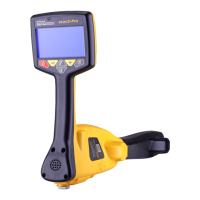
When the locator is within range of the marker there will be a sound from the speaker
andtheiconinthecenterofthedisplay(2)willstarttoll.
Move the locator forward and back, left and right, until the largest signal is detected.
Note the bar graph (1) will also respond. Use the “+” and “-” pushbuttons to keep the
signal on scale. The bar graph should be used to pinpoint the position of the marker.
Marker Ball
Splice
Cable
9800
27.6
Manual
62dB
5000
32.3
51dB
vLoc3-5000 Screen
vLoc3-Pro Screen
vLoc3-9800 Screen
19.1
12dB
19.1
12dB
2.3.2 Marker Depth Estimation in Dedicated Mode
It is only possible to take depth measurement of a marker, when in the dedicated
mode.
Procedure:
1. Switch the receiver to the Dedicated Marker mode.
2. Pinpoint the position of the marker as previously described.
3. Position the locator on the ground directly over the marker.
rrobertson@wctproducts.com | 13309 Beach Ave. Marina del Rey, CA 90292
Phone: 800-WCT-PROD (928-7763) | Fax: 310-306-9343 | www.wctproducts.com



 To Next Page
 Loading...