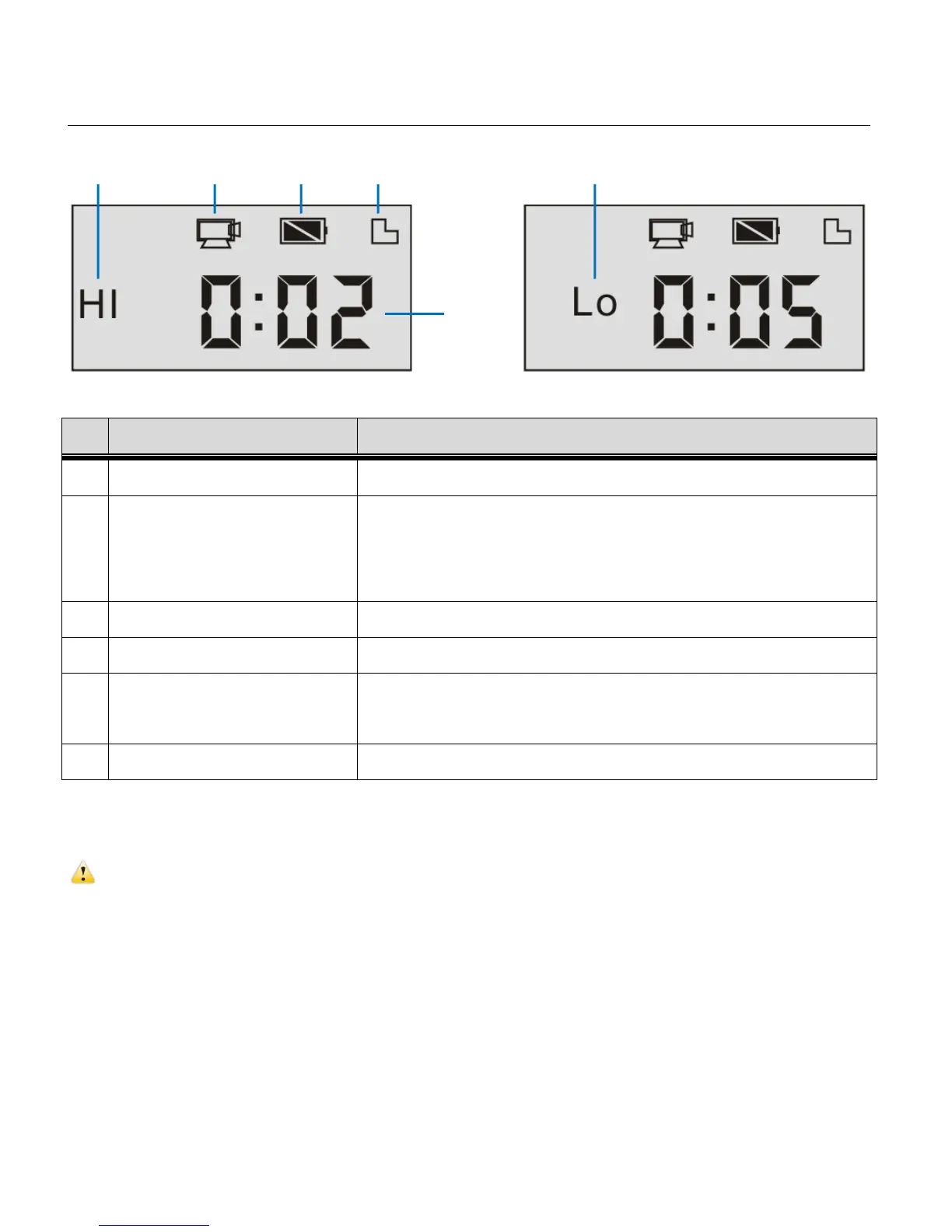
VIDEO CAPTURE MODE LCD SCREEN ICONS
Indicates high resolution in current Video Capture Mode.
Indicates currently in Video Capture Mode.
Flashing icon means the camcorder in the process of video
recording.
Indicates the current level of the battery.
Indicates a memory card has been inserted and is available.
Indicates the available length of time remaining in the
memory card for video recording at the selected resolution.
Indicates low resolution in current Video Capture Mode.
ATTENTION:
Due to limited characters displayed on the screen, video recording time can be displayed in
minimum unit minute.
Example: 0:02 indicates 2 minutes. During recording, 0:01 indicates video recorded for 1 minute.


 To Next Page