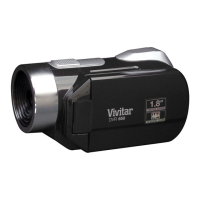
Power On:
Press and hold the POWER button, located on top of the camcorder, for 2 seconds to turn on the
camcorder. The screen of the display is activated and the camcorder is powered on.
Power Off:
Press the POWER button once while the camera is idle to shut the camcorder off.
NOTE: When the battery capacity drops to a low level, the battery icon will flash on the display,
indicating that the camcorder requires to be recharged. Please charge the battery. When the
battery icon flickers, the camcorder will shut down automatically.
Auto Screen Off – Energy Save:
When the idle time of the camcorder reaches the automatic screen-off time of 3 minutes, it will
automatically turn off the screen to save power. Press the Power button to reactivate the LCD
screen.


 To Next Page