11
Options for Record Mode
Movie Mode Picture Mode Voice Pen Effect Set
z Resolution
z Exposure
z Sharpness
z White Balance
z Stabilization
z Motion Detect
z Exit
z Resolution
z Exposure
z Two in One
z Photo Frame
z Flash
z Self-timer
z Sharpness
z White Balance
z Multi-snap
z Backlight
z Date printing
z Exit
z Enter
z Exit
z Normal
z B/W
z Classic
z Negative
z Exit
z Sound
z Start-up Screen
z Time Setting
z Format Memory
z TV System
z Language
z Default Setting
z Exit
Operations for Record Mode
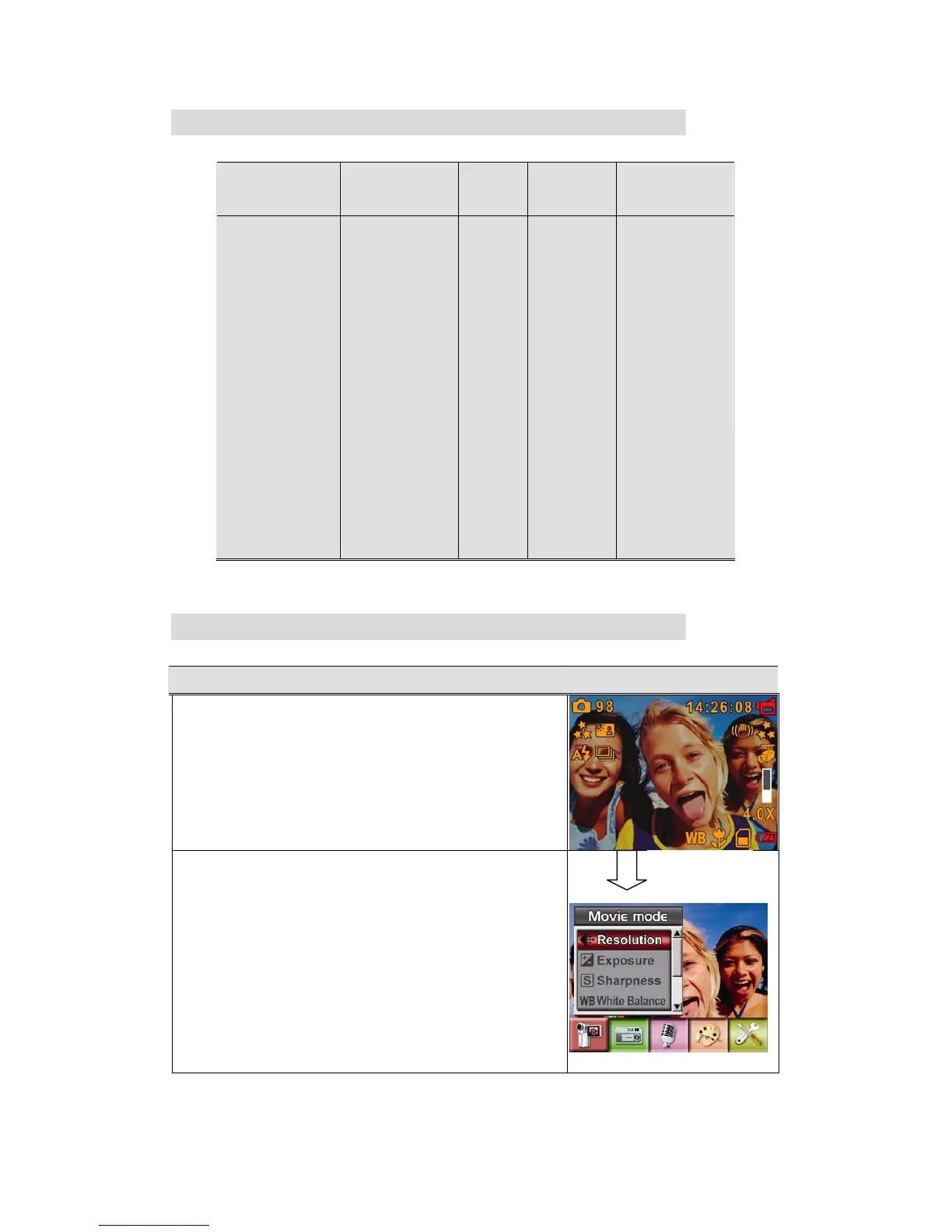
Operation Screen
1. Press Enter Button when in Movie/Picture Record
Mode.
2. Use Right/Left Buttons to move between main menu
options, which are Movie Mode, Camera Mode,
Voice Mode, Effect, and Set. Submenu will pop out
while move to each main option.
3. Press Enter Button to validate sub option you select.
4. Select Exit option to exit submenu.
Enter Button



 To Next Page