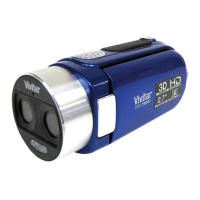
Video Capture Mode
After powering on your camcorder, the camcorder enters the default mode of Video Capture
Mode, recording at a default resolution size of ‘HI’ (FHD 1920x1080,30fps).
Press the MODE button to switch between the Video Capture Mode resolution sizes:
from ‘HI’ (FHD 1920x1080,30fps) to ‘LO’ (720P 1280x720,30fps) to ‘HILO’ (720P
1280x720,60fps).
Photo Capture Mode
After powering on your camcorder, press the MODE button three times to enter Photo Capture
Mode at ‘LO’ resolution size (5 Mega Pixels 2592x1944).
Press the MODE button again to switch the Photo Capture Mode resolution size from ‘LO’ to ‘HI’
(8 Mega Pixels 3264x2448).


 To Next Page