Playback Mode
The Playback mode allows you to review and delete photos and videos that you’ve captured with
you camcorder.
PLAYBACK MODE: HDTV
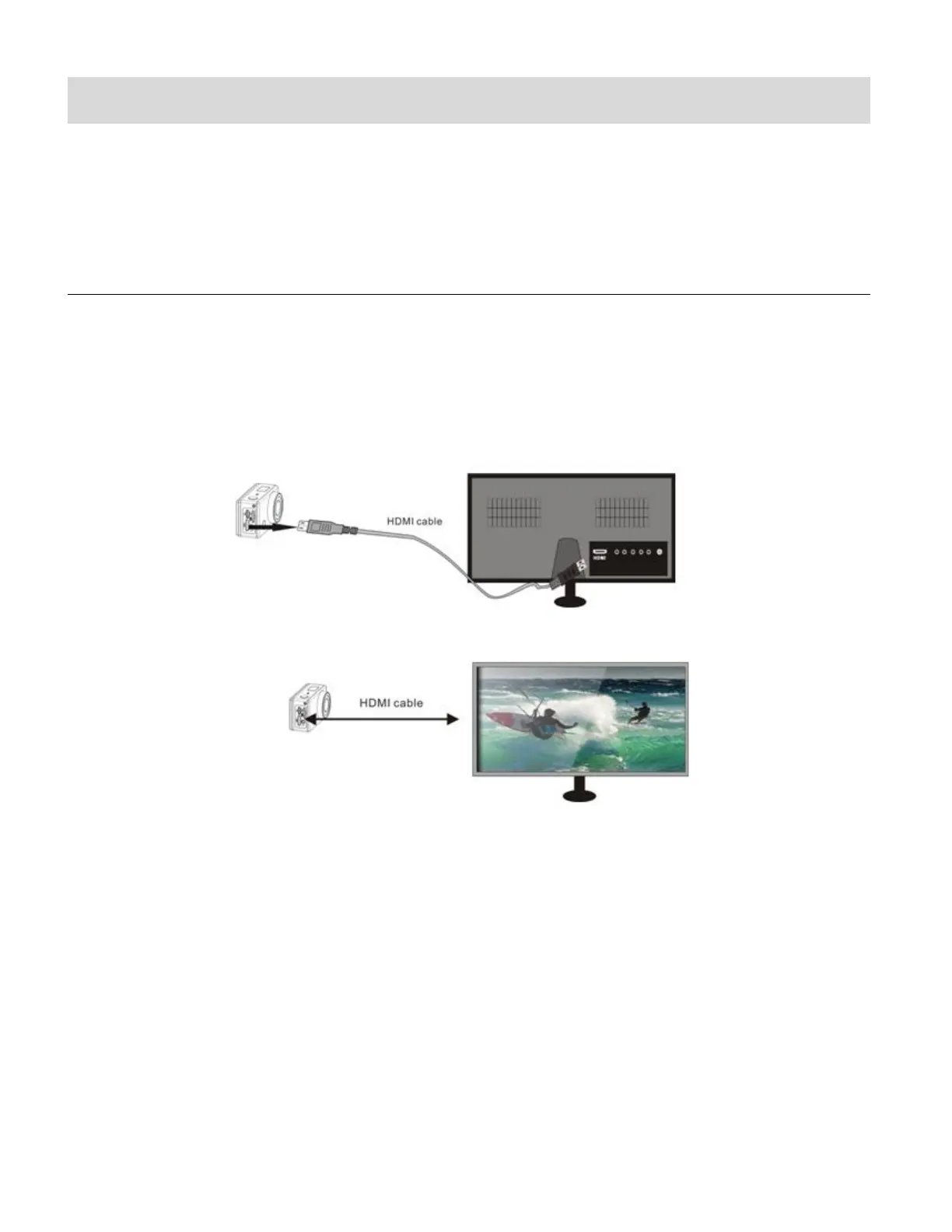
1. Use the HDMI cable to connect the camcorder to your HDTV.
If you need to transfer the image and audio to an HDTV for playback, insert the Com end
of the HDMI cable to the DV, and the other end (output) to the HD input of the HDTV, as
shown in the following figure:
NOTE: Before connecting or removing the HDMI cable, first stop video recording, playback
and disconnect Wi-Fi.
2. Power on your camcorder and the HDTV.
3. When HDTV is connected, the camcorder enters the Playback Mode.


 To Next Page