IMPORTANT:
Please power the camcorder off before plugging in or taking out the memory card.
If the card is inserted or removed while the camcorder's power is on, it may damage the
card and/or any recorded data. Always confirm that the power is off before inserting the
card into the camcorder.
Make sure there is room on the Micro SD Memory Card for additional images. If the Micro
SD Memory Card is full, additional images will not be added to the memory card.
POWERING ON – OFF / ENERGY SAVE
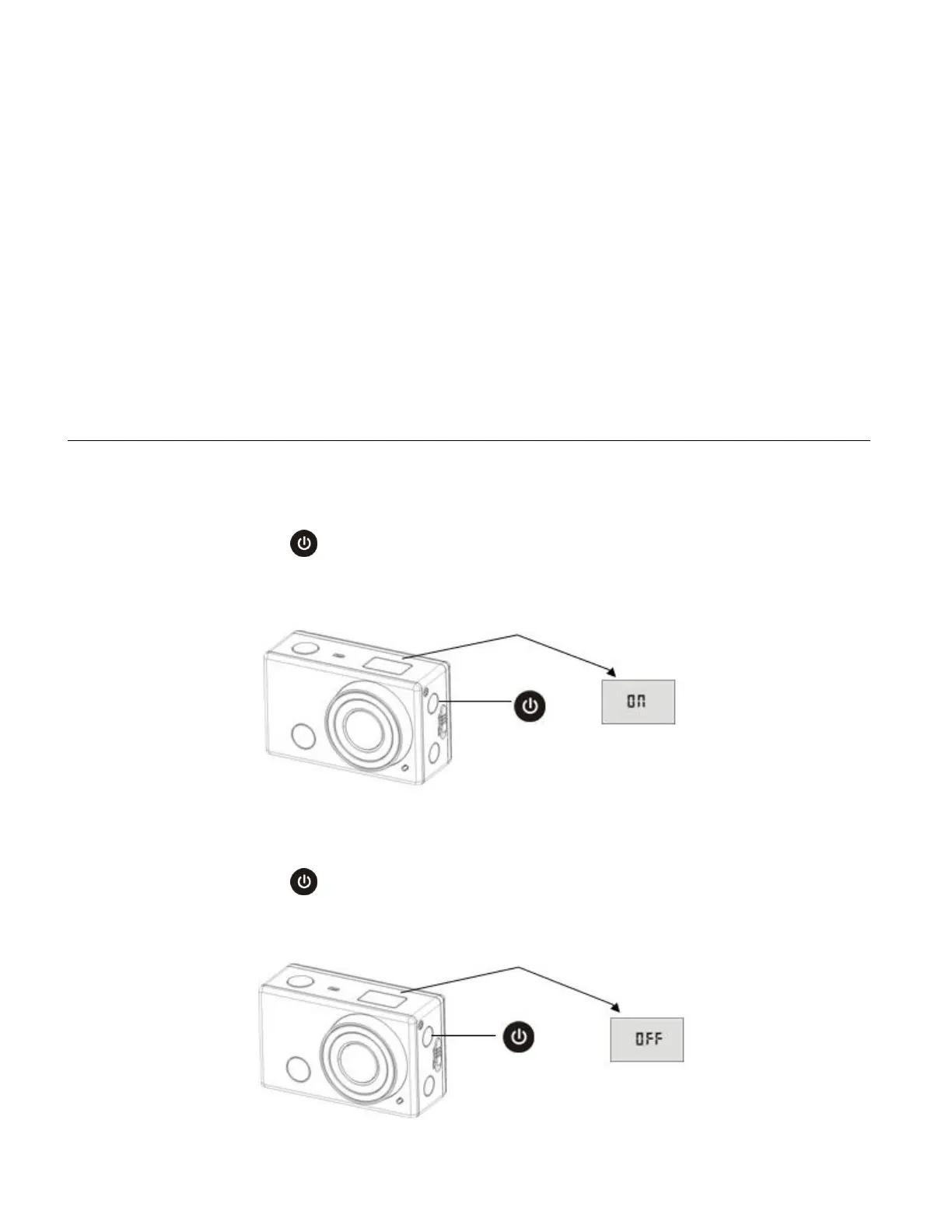
To power on the camcorder:
1. Press and hold the Power button for about 3 seconds.
2. The LCD displays “ON” and a beep can be heard from the camcorder’s buzzer.
To power off the camcorder:
1. Press and hold the Power button for about 3 seconds.
2. The LCD displays “OFF” and a beep can be heard from the camcorder’s buzzer.


 To Next Page