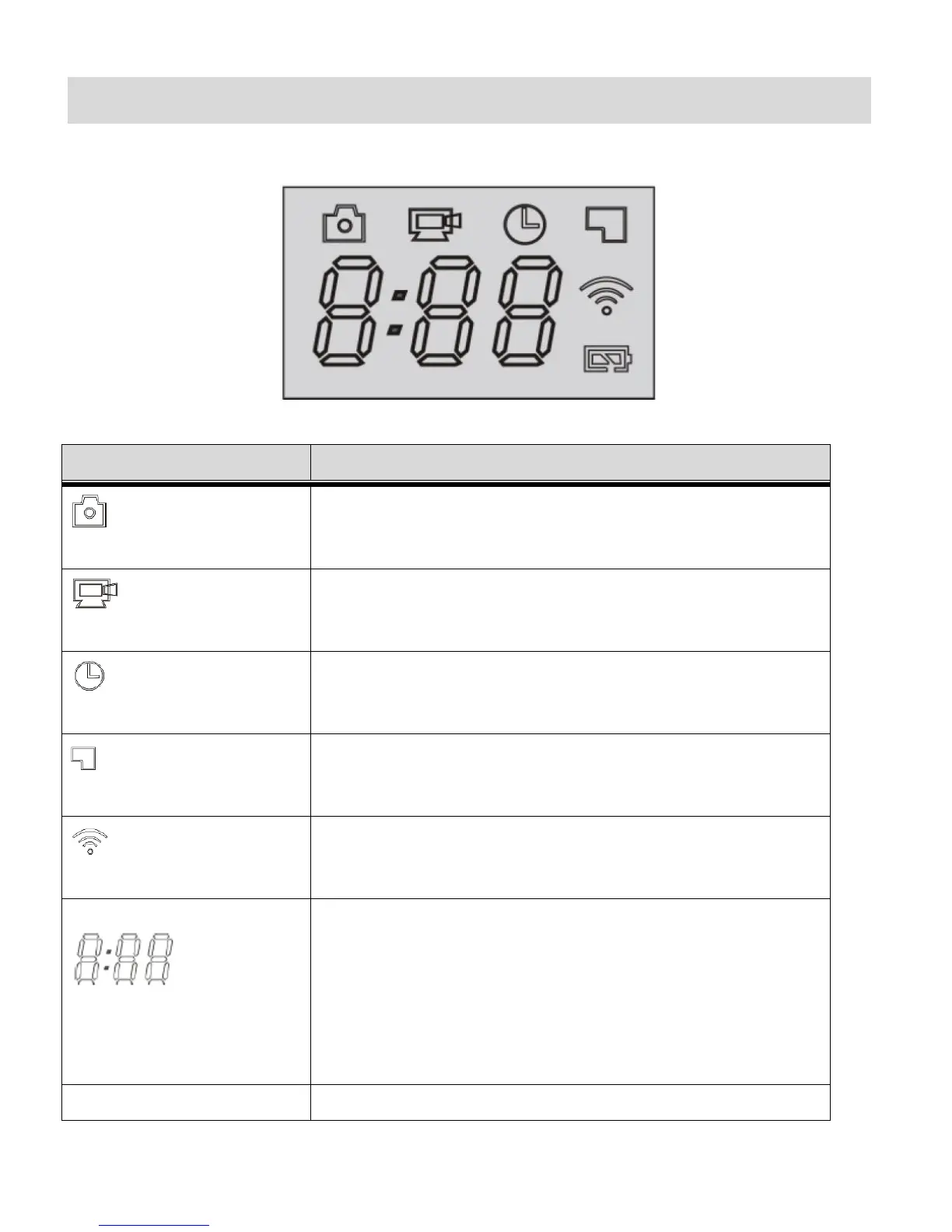
LCD Display
After turning on the Wi-Fi LifeCam Camcorder, the LCD displays the following:
Indicates that the camcorder is currently in Photo Capture
Mode.
Indicates that the camcorder is currently in Video Capture
Mode.
Flashing icon means the camcorder is recording a video.
Indicates that the camcorder is currently in Time Lapse
Mode.
Flashing icon means the camcorder is recording a video.
When displayed, this icon indicates that a memory card has
been inserted properly and is available.
When displayed, this icon indicates that Wi-Fi is enabled.
TIMER: Displays Hours: Minutes.
- Indicates the available length of time remaining in the
memory card for video recording at the selected
resolution.
- During Video recording displays recording time.
COUNTER: Displays amount of photos that can be captured
as per the selected resolution. Displays up to 999.
Indicates the current level of the battery.
NOTE: The above icons vary according to the current status of the camcorder.















 To Next Page