EasyManua.ls Logo

Vivitar DVR 944HD - Page 33

Vivitar DVR 944HD
88 pages
Print Icon
To Next Page IconTo Next Page
To Previous Page IconTo Previous Page
Loading...
32
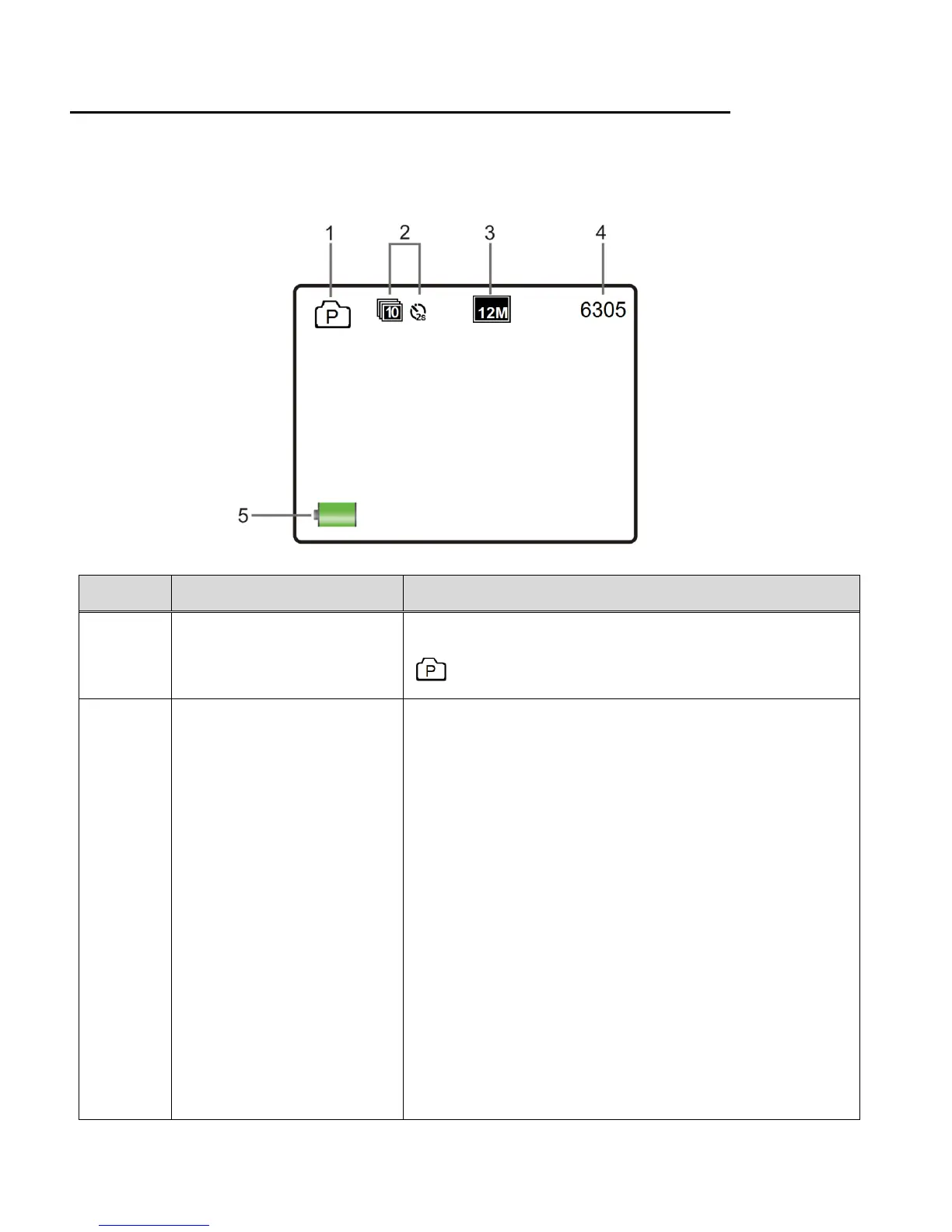
PHOTO CAPTURE MODE LCD ICON STATUS DESCRIPTION
The following icons appear on the LCD screen and indicate the selected menu options and
camera status.
Item
Function
Description
1
Mode Selection
Displays the current selected Mode:
Photo Capture Mode
2
Photo Burst / Timer
Displays the selected Timer or Photo Burst Mode
setting.
NOTE:
- No icon appears when the setting is off.
- The Timer and Photo Burst options can work only
one at a time, not simultaneously. When one
option is on, the other is off.
The Timer options include:
OFF (no Icon), 2 seconds, 10 seconds, Double
The Photo Burst Mode options include:
OFF (no Icon), 3 photos, 5 photos, 10 photos,
Continue Burst


Related product manuals