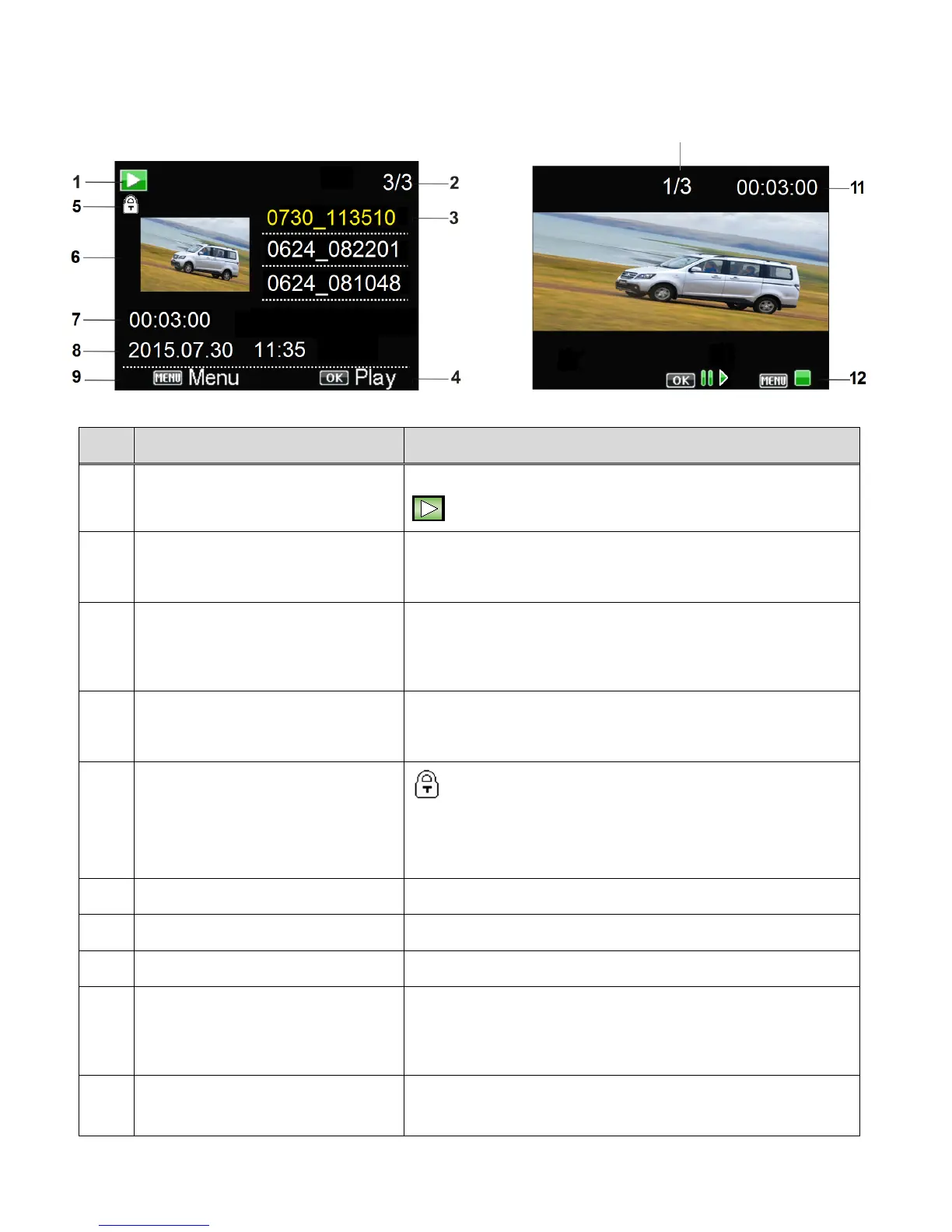
VIDEO PLAYBACK MODE LCD ICON STATUS DESCRIPTION
Displays the current selected Mode:
Playback Mode (icon appears on video files)
Indicates serial number of the current file / total
number of files
Lists the captured files as per the file name.
Press the DOWN/WIFI button to scroll between the
files.
Indicates that you can press the SHUTTER / OK
button to play the selected video file.
The lock icon indicates that the file has been
protected/locked.
This icon appears only with locked files. Files that do
not display this icon are unlocked.
Displays the first frame of the selected video file.
Total Captured Video Time
Displays the total time of the recorded video.
Displays the date and time of the recorded video.
Indicates that you can press the MENU button to
open the menu options for the selected file. Press
again to exit the menu.
Displays the current file/total number of files.
This does not display while playing a single video,



 To Next Page