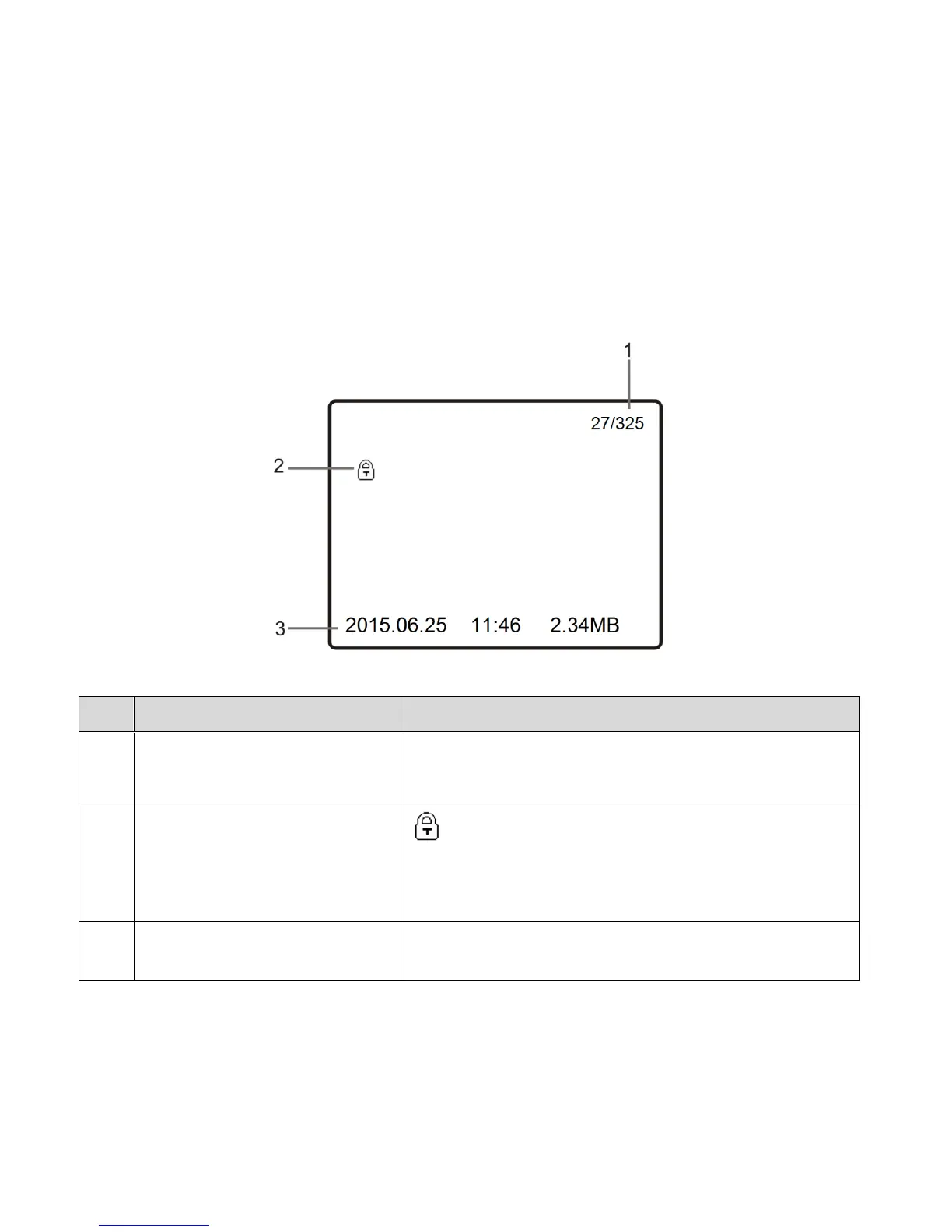
- To hide the display of the file number, time, date and file size press the SHUTTER/OK
button again.
- Then, press the SHUTTER/OK button once again to display the file number.
RETURN TO PLAYBACK MAIN MENU:
Press the POWER/MODE button to return to the Playback Main Menu Screen.
PHOTO PLAYBACK MODE LCD ICON STATUS DESCRIPTION
Indicates serial number of the current file / total
number of files
Protected/Locked Image
(Locked images only)
The lock icon indicates that the file has been
protected/locked.
This icon appears only with locked files. Files that do
not display this icon are unlocked.
Displays the date, time and file size of the captured
photo.



 To Next Page