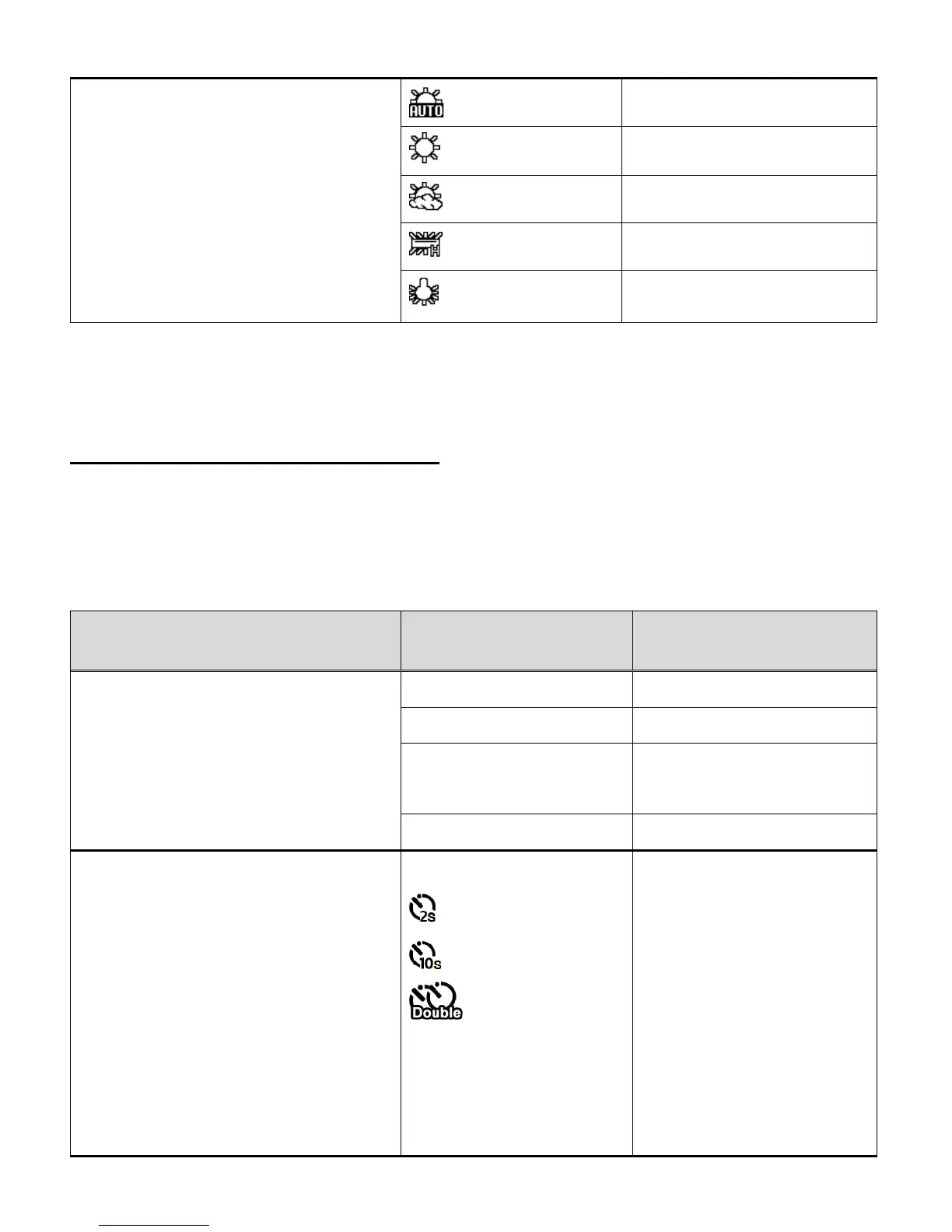
White Balance
The White Balance feature allows your
camera to adjust the coloring of the captured
images depending on the type of light source
in the current environment.
Properly adjusting the White Balance setting
to match your current environment will allow
the camera to properly balance the colors in
the images that are taken with your camera.
White balance selected for
daylight surrounding.
White balance selected for
cloudy surrounding.
White balance selected for
fluorescent surrounding.
White balance selected for
tungsten lighting.
PHOTO CAPTURE MODE MENUS
To open the Photo Capture menu options, press the MENU button while in Photo Capture Mode.
The following menus appear:
Resolution, Timer, Photo Burst
The Resolution menu allows you to choose
the desired size of the images taken by your
camera. Keep in mind that images with a
higher resolution will also take up more of
your camera’s memory.
8M pixel resolution
(Default)
Timer
The Self Timer menu allows you to set a
delay between the time that the camera’s
Shutter button is pressed and the actual
capture of the picture. This is an optimal
feature if you don’t just want to take the
picture but would also like to be in the picture
yourself. Just set the Self Timer, press the
Shutter button on your camera and position
yourself in front of the camera as desired.
OFF – The photo is taken
as soon as you press the
Shutter button. No icon
appears on the screen.
2S - Set a 2-second delay
from when you press the
Shutter button until the
photo is taken. The 2
second Self Timer icon
appears on the screen.
10S - Set a 10-second



 To Next Page