12
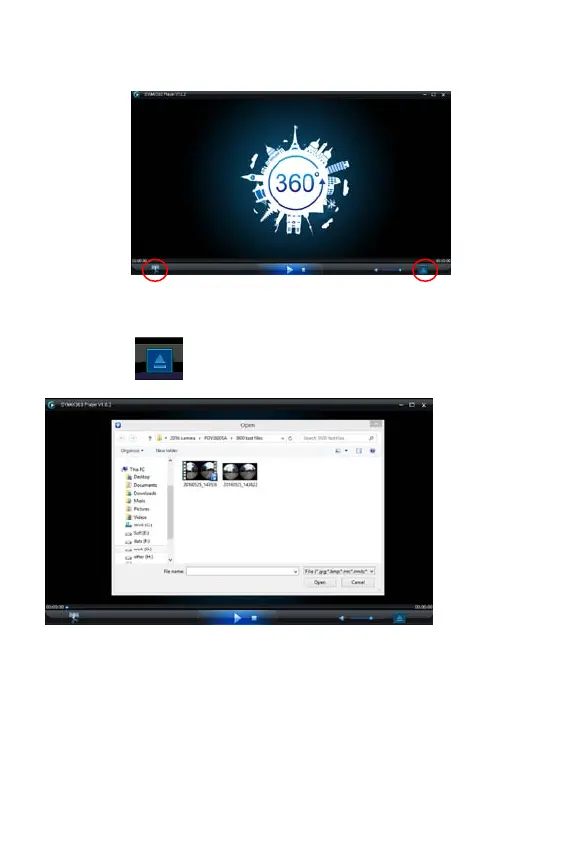
Run player: Open the video or picture downloaded and stored on PC in
the player.
Playback video with player
Clip the icon , choose the video which you want to play.
When playing the video, move the mouse to top right cone, it will show
some different mode(Plane/Planet/Invert). Clip it and will show different
effects. Please clip and move the mouse, you could enjoy the video with
full angle 360 degree.







 To Next Page