1
Overview
Thank you for purchasing this product!
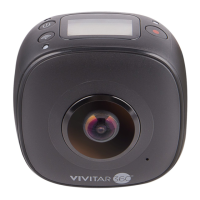
PANOVIEW 360°Camera is a digital panoramic camera with two lenses.
Through the application of up-to-date technologies, it enables you to get
panoramic videos and photos, creating an experience of brand new
panoramic world.
Important
Before using this product, please carefully read this Manual
Prepare one 32G (Class 6~Class 10) Micro SD card
Check the camera power. A full charging is recommended before
use (Until the charging indicator goes out)
Scan the QR Code on next page, or search for “VRCAM720” on
Apple Store and Google Play, and then download and install it
About Camera
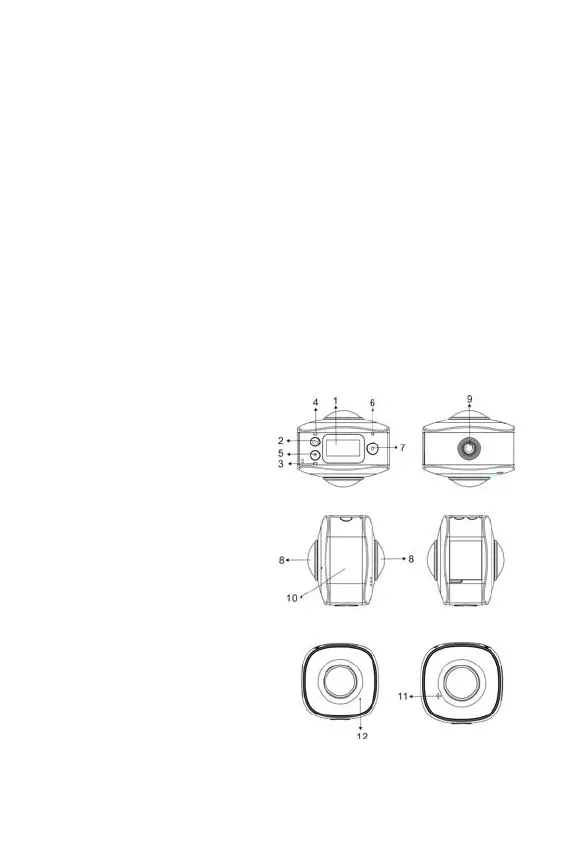
1. LCD Scree
2. Power button/Mode button
3. WIFI indicator (red)
4. Charging indicator (blue)
5. Wifi button/MENU button
6. Busy indicator (red)
7. Shutter button/OK button
8. Lens×2
9. Triangle nut
10. Interface cover (USB/TF)
11. Speaker
12. Microphone







 To Next Page