3
Quick start guide
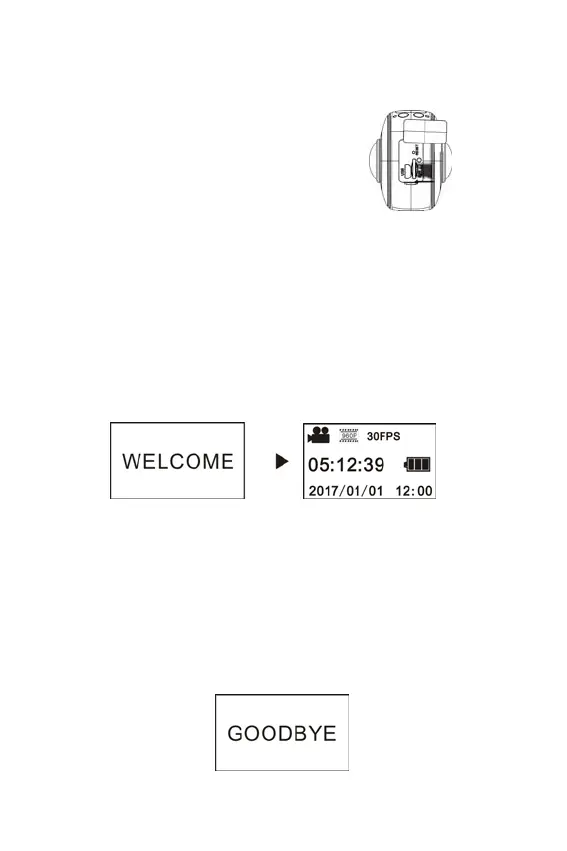
1. Install SD card:
Insert the Micro SD card you prepare into the slot as indicated, as
shown on the right.
Important:
A high-speed Micro SD card between Class 6~Class 10 is a must;
or else, this product may not work normally.
Always turn off the camera before inserting or pulling out of the
card.
2. Power-on/off
Power-on: Press and hold Power button for about 2 seconds and
release, until it beeps. The display screen will be lighted, as shown
below, indicating the product is ready to work (the default work mode
after power-on is Shooting mode).
Important:
If power-on fails, charge the camera first, and see whether the
blue indicator lights up during charging. If yes, it indicates the
product is being charged.
Power-off: After shooting stops, press and hold Power button for about
3 seconds and release. The Display will display “GOODBYE” and turns
off. No operation on mainframe for 3 minutes under Power-save mode
(default), the camera will automatically power off.
3. Charging







 To Next Page