8
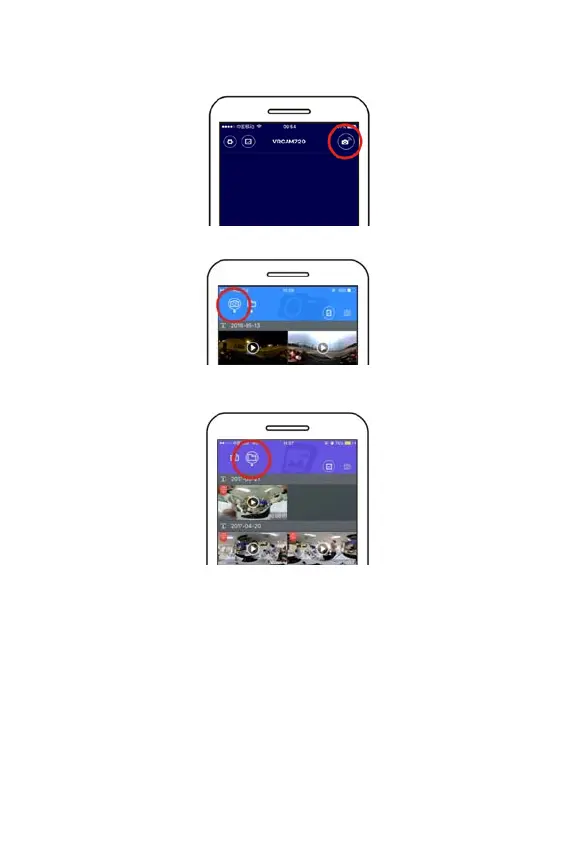
Activate APP: Activate “VRCAM720” APP on mobile phone or tablet,
and click the upper right corner to “Search for Camera”.
Download: Enter camera folder, select the file to be downloaded and
click to download.
Play: Select the file on mobile phone and click to play.
Important
It is recommended to follow the above steps in order to achieve the best
HD video or picture playing effect.
Before connection, remember to make sure the SD card properly
inserted into camera.
After connection, it will not affect 4G communication function of mobile
phone or tablet .







 To Next Page