VIVOTEK
User's Manual - 127
To remove a recording setting from the list, select a recording name from the drop-down list and
click Delete.
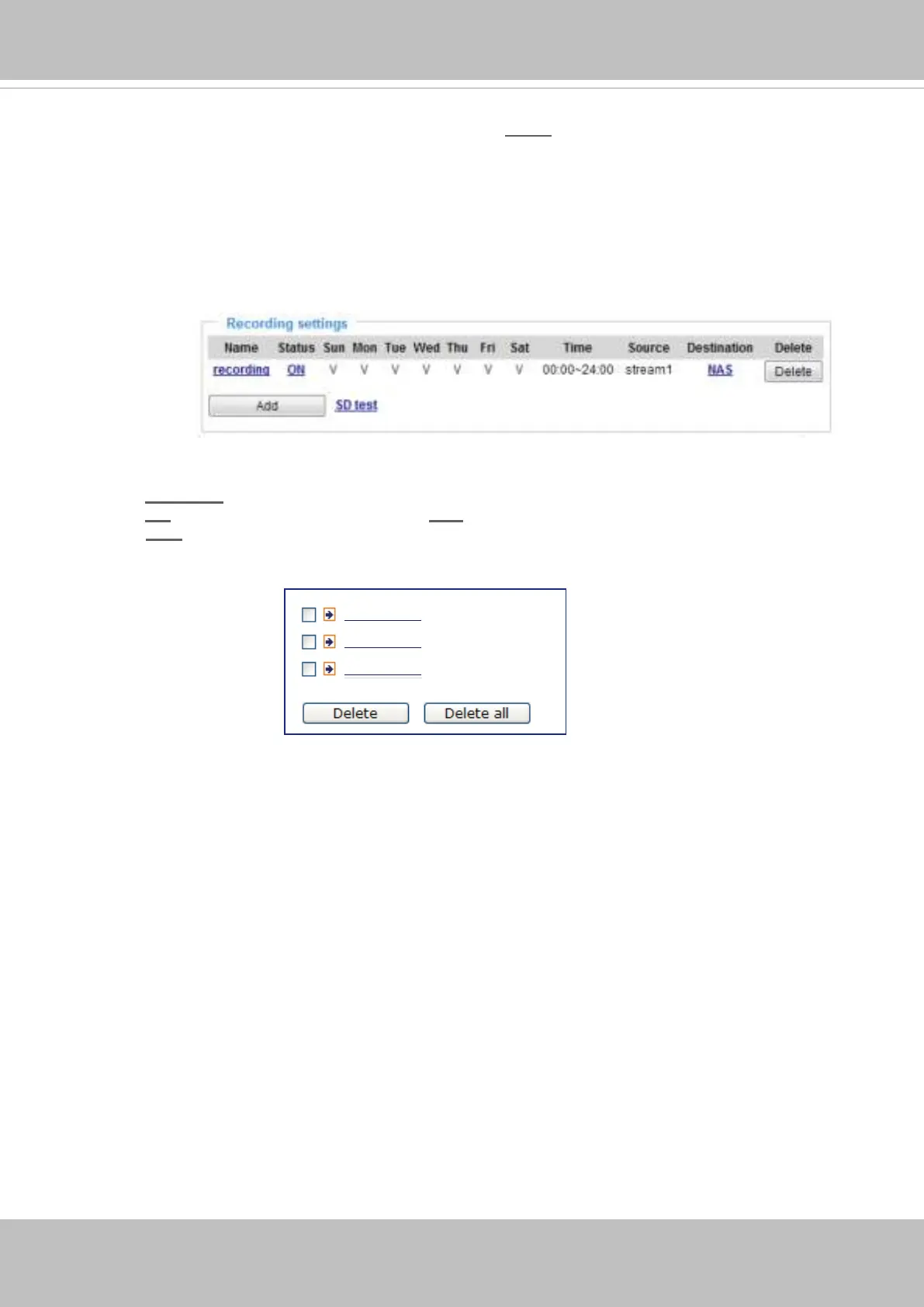
■ Click
recording (Name): Opens the Recording Settings page to modify.
■ Click
ON (Status): The Status will become OFF and stop recording.
■ Click NAS (Destination): Opens the le list of recordings as shown below. For more information
about folder naming rules, please refer to page 107 for details.
20160210
20160211
20160212
f you want to enable recording notication, please click
Event
to congure event triggering settings.
Please refer to Event > Event settings on page 100 for more details.
When completed, select Enable this recording. Click Save to enable the setting and click Close
to exit this page. When the system begins recording, it will send the recorded les to the network
storage. The new recording name will appear in the drop-down list on the recording page as shown
below.



 To Next Page