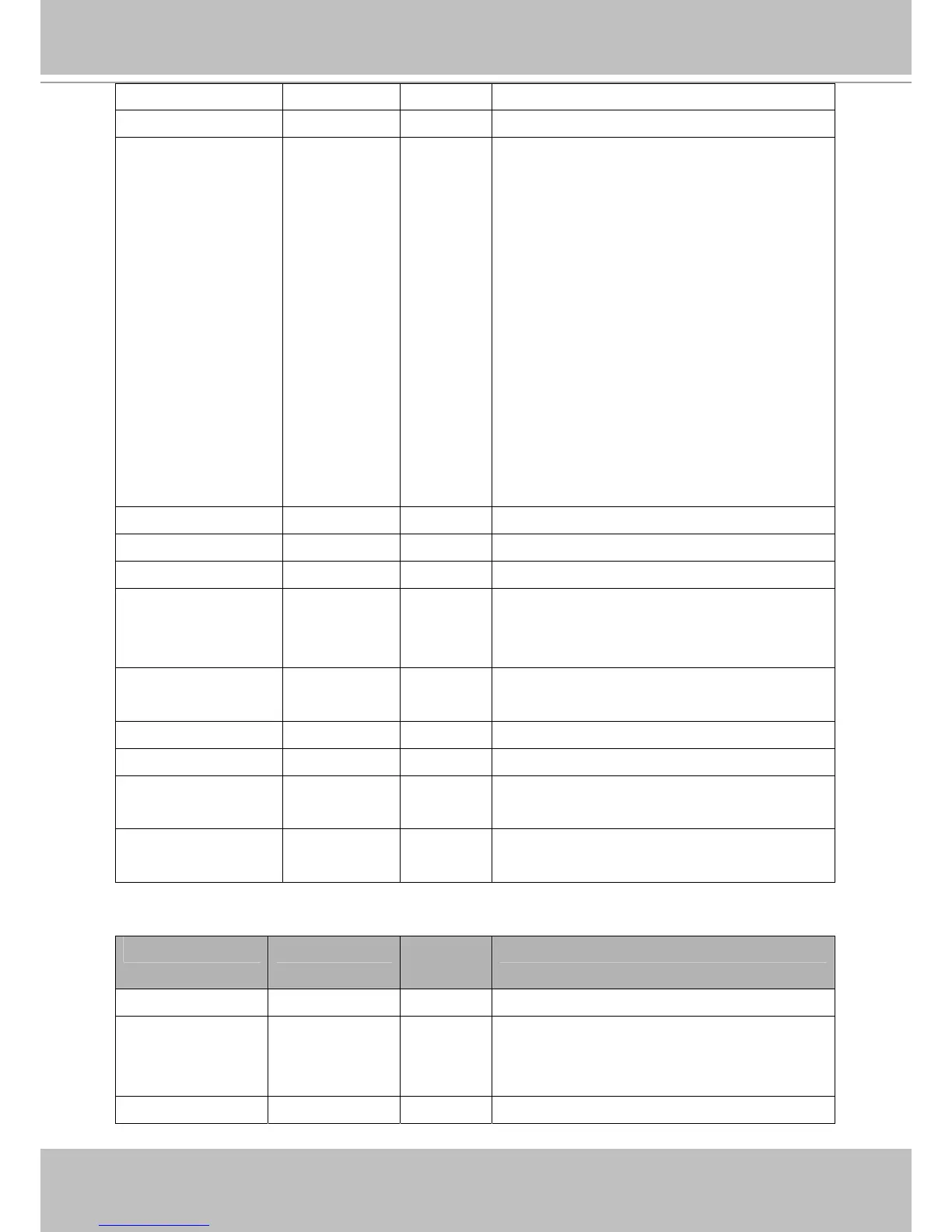
flip <boolean> 4/4 Flip the image.
mirror <boolean> 4/4 Mirror the image.
ptzstatus <integer> 1/7 A 32-bit integer, each bit can be set separately as
follows:
Bit 0 => Support camera control function; 0(not
support), 1(support)
Bit 1 => Built-in or external camera; 0
(external), 1(built-in)
Bit 2 => Support pan operation; 0(not support),
1(support)
Bit 3 => Support tilt operation; 0(not support),
1(support)
Bit 4 => Support zoom operation; 0(not
support), 1(support)
Bit 5 => Support focus operation; 0(not
support), 1(support)
text string[16] 1/4 Enclose caption.
imprinttimestamp <boolean> 4/4 Overlay time stamp on video.
maxexposure 1~480 4/4 Maximum exposure time.
options quality,
framerate, crop
4/4 Customize video quality first or video frame rate
first.
(product dependent)
preoptions quality,
framerate, crop
4/4 Previous customize video option.
(product dependent)
enablepreview <boolean> 1/4 Preview sensor settings
crop_preview <boolean> 1/4 Preview crop settings
crop_position <coordinate>
(x,y)
1/4 Crop left-top corner coordinate.
crop_size <window size>
(WxH)
1/4 Crop width and height.
(width must be 16x and height must be 8x)
Group: videoin_profile_i<0~(m-1)>
NAME VALUE SECURITY
(get/set)
DESCRIPTION
enable <boolean> 4/4 Enable/disable this profile setting
policy day,
night,
schedule
4/4 The mode which the profile is applied to.
begintime hh:mm 4/4 Begin time of schedule mode.












 To Next Page